


 USD
USD EUR
EUR TRY
TRY SAR
SAR
Visualize the Buried World in 3D
Scan in 3D. Follow Responses Live.
See Your Search from a New Perspective
Turn ground data into visual insight with Gold Tronix by Geoground. Built around dedicated scanning and analysis functions, this focused exploration platform brings together electronic measurement and intelligent processing to help you examine potential buried targets, cavities, and underground anomalies.
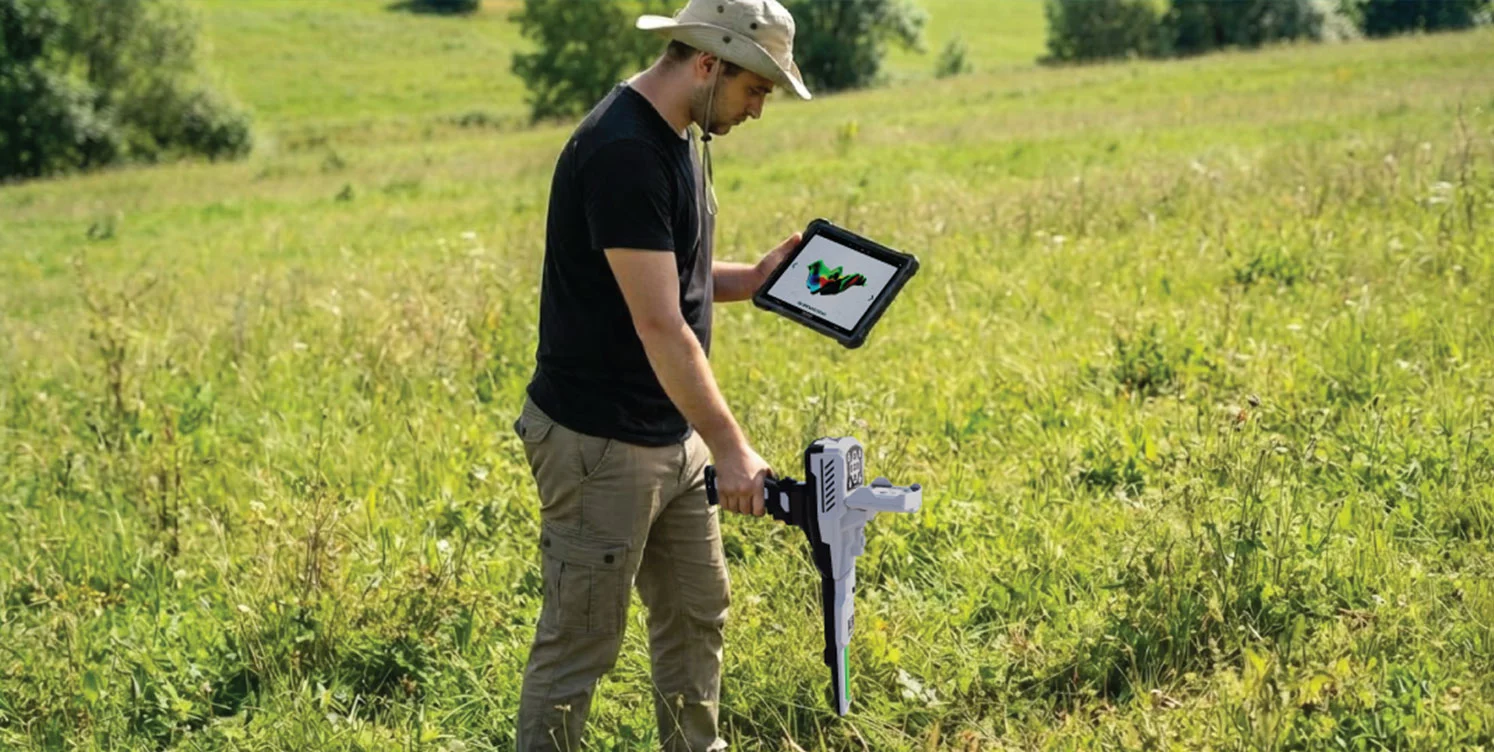
Use 3D Ground Scan to collect data across a defined area, then explore the results through GEOGROUND 3D Analyzer on a compatible Android phone or tablet. Switch to Live Scan for immediate visual responses on the device screen as you move. Together, these systems connect structured scanning with real-time observation, keeping useful information at the center of your investigation.

Built With 2
Powerful Systems
Treasure hunting
experience to
new heights
High Quality
material
with dynamics
surface

WATCH
HOW TO USE VIDEO
WHY CHOOSE
GOLD TRONIX

Specifications
Focused 3D Ground Scanning & Live Response Platform
Gold Tronix brings two dedicated scanning systems together in one focused Geoground platform. Combine structured 3D Ground Scan analysis with immediate Live Scan feedback to investigate potential buried metallic targets, cavities, and subsurface structures.
Two Dedicated Scanning Systems
Combine the spatial perspective of 3D Ground Scan with the immediate feedback of Live Scan in one Geoground device.
A Closer Look at Your Ground Data
Explore 3D visualizations, ground grids, wireframe and solid views, and approximate grid-cell depth values through the Android analysis app.
See Responses as They Change
Live Scan displays separate signal-strength indicators for potential metallic targets and cavities, giving you immediate visual feedback in the field.
Build the Scan Around Your Site
Configure the scanning path, starting corner, lines, pulses, and manual or automatic recording to organize data collection.
Save and Revisit Your Investigation
Keep completed scan files for later review and adjust analysis views, soil presets, color filters, and themes to examine your results.
Built for Focused Ground Investigation
Bring Gold Tronix to treasure-hunting surveys and the investigation of potential buried metallic targets, cavities, and subsurface structures. Use live responses to select areas of interest, then collect a structured scan to study variations in the ground data in greater detail.
One Platform. Two Focused Ways to Investigate.
Move between immediate response monitoring and structured three-dimensional scanning to investigate the ground from two complementary perspectives.
Reveal a new perspective beneath the surface. Collect readings across a defined search area with the GEO Matrix Sensor, then turn the scan data into a three-dimensional visualization through GEOGROUND 3D Analyzer. Choose parallel or zigzag paths, define your starting corner, and set the number of lines and pulses. Record pulses manually through the wireless handle or use automatic collection. Consistent movement and spacing help maintain an orderly scan.
Keep pace with changing ground responses. Live Scan shows immediate visual feedback directly on the device screen, using separate bars for potential metallic targets and cavities. The metallic-target indicator appears in red, while the cavity indicator appears in blue. Calibrate in the vertical operating position, then gently sweep the device left and right while maintaining that position.
Turn Android Into Your Scan-Analysis Workspace
Connect by Bluetooth, configure the scan, and watch the application build a visualization as data is collected. Save the completed file and reopen it whenever you want to examine the results again.
Explore the Model
Use the ground grid, switch between wireframe and solid views, reset the drawing view, and review scan-result data.
Inspect Approximate Depth
Review the estimated depth associated with individual grid cells as part of your scan interpretation.
Refine the Display
Choose a soil preset, hide selected colors, and adjust color themes to examine the visualization from different perspectives.
Interpret Color-Coded Fields
Review display categories for normal ground, metallic responses, and potential cavities. These are interpretation aids, not independent confirmation of material or cavity identity.
Keep Your Work Accessible
Save scans in the Files section, manage the Bluetooth connection, and select from eight application languages.
Build a Structured Investigation Workflow
Begin With Live Feedback
Begin with Live Scan to follow changing response levels on the device display and identify locations for further investigation.
Configure the Search Area
Define the search area and configure the path, starting corner, lines, pulses, and recording type in the app. Keep spacing and movement consistent throughout data collection.
Build the 3D Scan
Carry out the chosen scan path and use the wireless handle to control recording as required. Review the three-dimensional visualization after the scan is complete.
Review the Collected Data
Store the result, compare display views, and inspect approximate grid-cell depth values alongside the site conditions and the quality of the collected data.
Keep Essential Functions Within Reach
Operate the device through its keypad and wireless handle Start button. A 3.5-inch color display keeps system information visible, while adjustable brightness and audio levels let you personalize the interface for your working conditions.
Choose English, German, Spanish, French, Russian, Italian, Arabic, or Farsi for the device interface. Control sensor illumination, check battery and audio status, and access model, serial-number, and software information. Warning screens identify a disconnected sensor or critically low battery.
Prepare the Main Unit and Wireless Handle
Recharge the main unit and wireless handle separately through their USB-C connections. Charging indicators show red while charging and blue when fully charged. The main unit also displays battery information while powered off and connected to its charger.
Focused 3D Analysis and Live Response Monitoring
Choose Gold Tronix for a focused combination of 3D analysis and live response monitoring. Its dedicated scan systems, configurable data collection, and Android visualization tools give you practical ways to explore ground variations and examine potential anomalies with greater visual context.
Everything Included With Gold Tronix
3D analysis requires a compatible Android phone or tablet. An Android device is not listed among the supplied package contents.
Bring a New Perspective to Your Search With Gold Tronix
Contact Orient Detectors for current pricing, availability, package details, and assistance choosing the right Geoground device for your exploration needs.
Gold Tronix Specifications
| Specification | Details |
|---|---|
| Brand and product | Geoground Gold Tronix |
| Scanning systems | 2: 3D Ground Scan and Live Scan |
| Sensor and controls | GEO Matrix Sensor; keypad; wireless handle |
| 3D analysis platform | GEOGROUND 3D Analyzer for Android |
| App connection | Bluetooth |
| Scan configuration | Parallel or zigzag; starting corner; lines; pulses; recording type |
| Pulse recording | Manual or automatic |
| Scan analysis | 3D views; ground grid; approximate grid-cell depth; color controls |
| Live Scan display | Separate metallic-target and cavity response indicators |
| Display | 3.5-inch TFT LCD HMI; LED backlight |
| Display resolution and colors | 480 × 320 pixels; 65,536 colors |
| Memory | SD; 2 GB |
| Audio | Speaker and headset output; 3.5 mm jack |
| Internal speaker | 2 ohms / 3 W |
| Main unit battery | 3 lithium-ion cells; 2000 mAh per cell |
| Wireless handle battery | 1 flat lithium-polymer battery; capacity not specified |
| Battery removal | Non-removable |
| Charger input and output | 100-220 V AC, 50/60 Hz; output 5 V / 2.5 A |
| Charging connections | USB-C for main unit and wireless handle; charged separately |
| Other specified features | LED illumination; vibration |
| Operating and storage temperature | Operating: 0 to 40 °C; storage: -20 to 60 °C |
| Package dimensions and weight | 430 × 380 × 160 mm; 3750 g (package, not device-only) |
| Device interface languages | English, German, Spanish, French, Russian, Italian, Arabic, Farsi |
Follow Us on Instagram
Discover Metal Detector Devices Up Close!, Follow us on Instagram now to step into the unique world of the ORIENT brand. Visit @orientdetectors and access special content that is indispensable for gold lovers. We are waiting for you to take part in the magical world of unique products!
Wide Distribution
Discover our unique and stylish designs with our ORIENT brands in our distributers worldwide, as well as in our sub-dealers in each country and city. We are waiting for you to reach your dream products on our online platform!
Safe Shopping
Our customers' safety and satisfaction is our priority. With Secure Shopping, you can fully enjoy online shopping. With advanced security measures and payment systems, your personal information will always be protected.
Free Delivery
You are at the right address for fast and reliable shopping! The products you choose come to your door with the advantage of Free Delivery. Select the products you want from our site, complete your payment. We will quickly prepare your package and deliver it to your address free of charge.




Reviews
There are no reviews yet.