
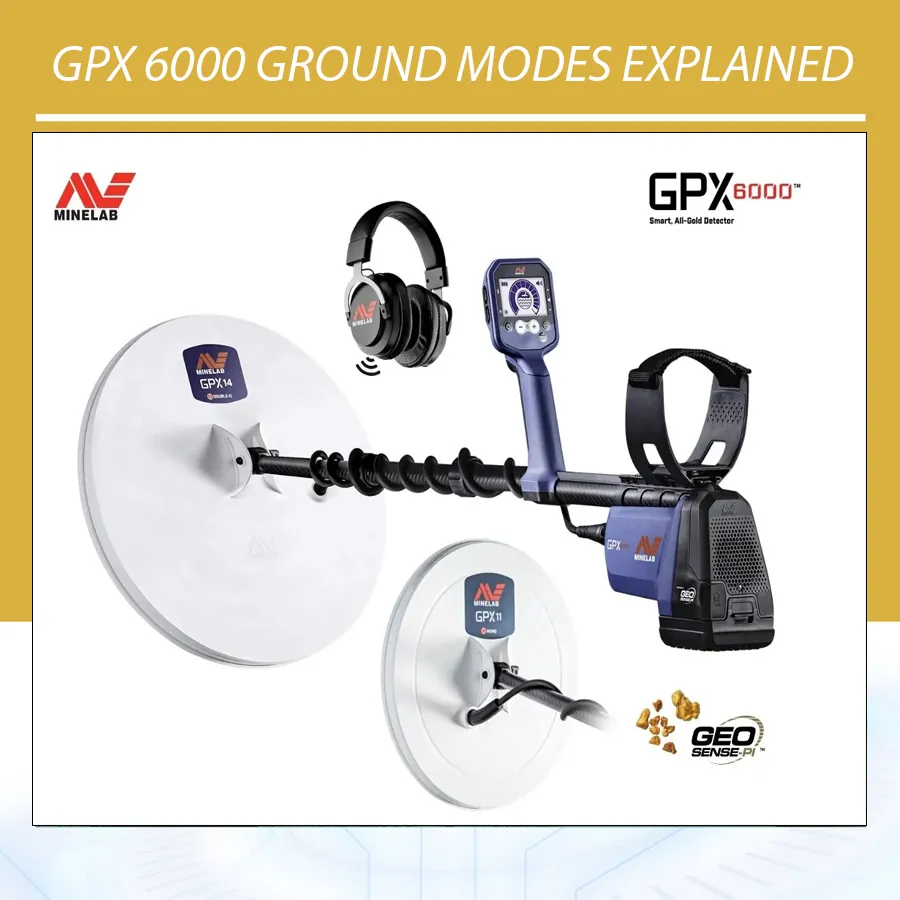
GPX 6000 Ground Modes Explained: Normal, Difficult, and Severe
The Minelab GPX 6000 is a professional pulse induction gold detector built for serious gold prospecting in mineralized soils. It is known for GeoSense-PI technology, automatic functions, light weight, and strong performance on both fine gold and larger nuggets. But to get the best results, users must understand GPX 6000 ground modes: Normal, Difficult, and Severe.
These modes are not cosmetic settings. They control how the detector handles unwanted ground response. Choosing the wrong mode can make the detector noisy, reduce practical depth, or cause users to miss weak gold signals. This guide explains what each mode means, when to use it, and how to combine ground mode with Quick-Trak, sensitivity, coil choice, and field technique.
The article uses official Minelab information from the GPX 6000 tech specs, the Minelab GPX 6000 product page, Minelab FAQ guidance, and GPX 6000 manual references.
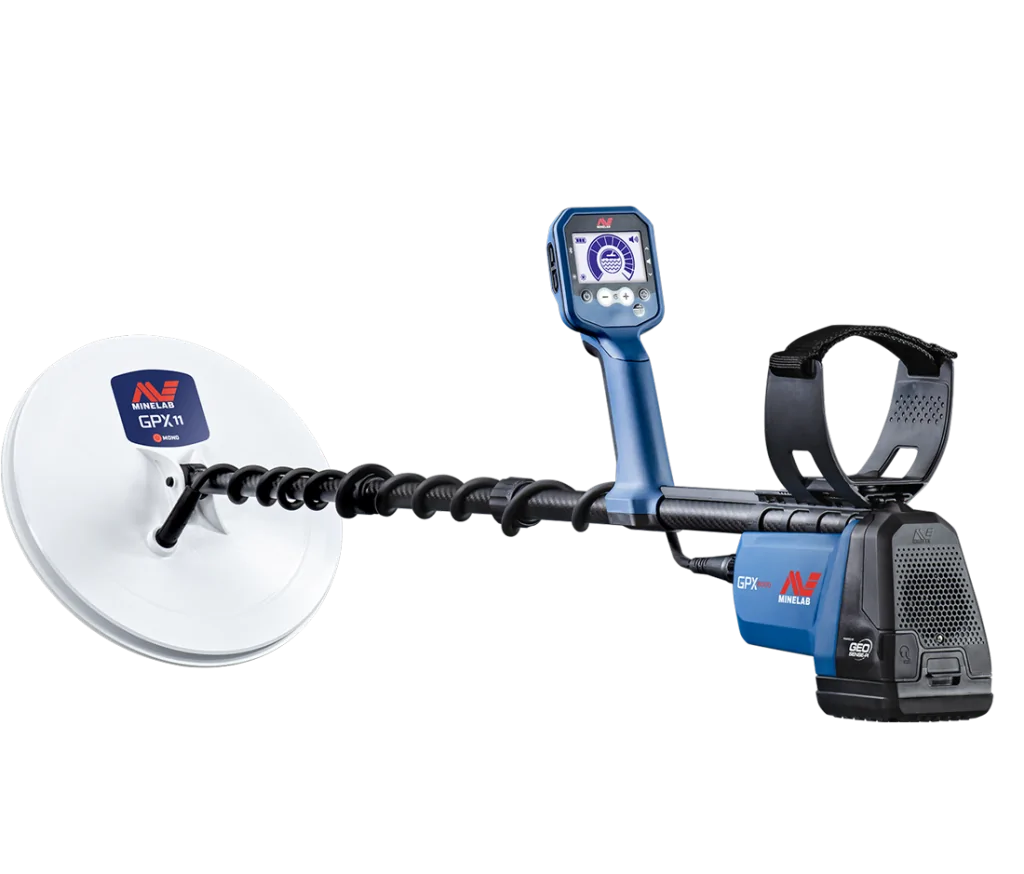
What Ground Modes Do on the GPX 6000
Ground modes tell the detector how aggressively it should handle mineralized soil. Normal gives the strongest depth potential in quieter ground. Difficult handles moderate to high mineralization and variable ground. Severe is used only when ground is extremely mineralized or when the coil must be raised above the ground and Difficult is not stable enough.
Minelab’s GPX 6000 tech specs list Ground Type modes as Normal, Difficult, and Severe. The official GPX 6000 product page also describes optimized ground modes that help users adapt to changing soils, reduce interference, and maintain stable performance.
Quick Comparison: Normal vs Difficult vs Severe
| Ground Mode | Best For | Depth Potential | Stability |
|---|---|---|---|
| Normal | Quiet, low-mineral ground | Highest | Lowest in bad ground |
| Difficult | Moderate to high mineralization, hot rocks, variable soil | Moderate to high | Better than Normal |
| Severe | Extremely mineralized ground or raised coil use | Lowest | Highest in extreme ground |
Normal Ground Mode
Normal mode is the deepest and most aggressive ground mode when the soil allows it. Minelab FAQ explains that Normal Ground Type has the greatest depth on larger nuggets and should be used wherever possible in ground with lower mineralization or less variable ground. This makes Normal the best starting point in quiet ground.
However, Normal can react to hot rocks or mineralized ground. If the detector signals on many hot rocks, produces unstable audio, or becomes noisy while sweeping, Normal may be too aggressive. In that case, switch to Difficult.
Use Normal when:
- The ground is quiet and stable.
- Hot rocks are not a major problem.
- You want maximum depth potential.
- The threshold remains smooth while sweeping.
- Targets are likely medium to large nuggets.
Difficult Ground Mode
Difficult is the practical workhorse mode for many goldfields. It is designed for moderately to highly mineralized soil, hot rocks, and variable ground. Minelab manual references describe Difficult as the setting for ground with moderate to high mineralization or where conditions vary significantly over short distances.
If Normal is noisy but the detector becomes stable in Difficult, use Difficult. The small theoretical depth loss is often worth it because a stable detector hears real targets more clearly. Difficult is not a “weaker” mode; it is the correct mode for harder ground.
Use Difficult when:
- Normal produces too much ground noise.
- The detector responds to hot rocks.
- The soil changes every few meters.
- The threshold becomes unstable in Normal.
- You want better practical performance in mineralized ground.
Severe Ground Mode
Severe is for extreme ground. Minelab’s global FAQ notes that Severe provides the lowest detection depth and should only be used in areas with extremely high mineralization or when the user needs to raise the coil above the ground while using Difficult. That means Severe is not the mode to use casually. It is a problem-solving mode.
If Normal is unstable and Difficult is still too noisy, try Severe. If Severe stabilizes the detector enough to hear repeatable signals, it may provide better real-world performance than a noisy Difficult setup. But in moderate ground, Severe may reduce depth unnecessarily.
Use Severe when:
- Difficult is still too noisy.
- Ground mineralization is extreme.
- You must lift the coil above highly reactive ground.
- Hot rocks and soil response dominate the audio.
- You accept lower depth in exchange for stability.
Recommended GPX 6000 Ground Mode Workflow
- Start away from metal objects and EMI sources.
- Perform Auto Noise Cancel.
- Start in Normal if the ground seems quiet.
- Perform Quick-Trak ground balance.
- Sweep close and parallel to the ground.
- If Normal is noisy, switch to Difficult.
- Perform Quick-Trak again.
- If Difficult is still unstable, test Severe.
- Adjust sensitivity only after choosing a stable ground mode.
How Quick-Trak Fits Into Ground Modes
The GPX 6000 continuously tracks ground conditions, but Quick-Trak helps the detector quickly learn a new ground response. Minelab FAQ states that the GPX 6000 with GeoSense-PI continually tracks ground, and recommends pumping the detector up and down above the ground with the Quick-Trak button pressed to achieve the fastest ground balance.
Use Quick-Trak whenever moving to a different soil type, switching ground modes, entering a hot rock zone, or when the detector becomes noisy. Quick-Trak is not a one-time setup at the start of the day; it is a field tool.
Normal, Difficult, Severe, and Sensitivity
Do not use sensitivity to solve every problem. First choose the correct ground mode, then set sensitivity. If Normal is noisy at low sensitivity, the ground mode is probably wrong. If Difficult is stable, you may be able to raise sensitivity. If Severe is needed, accept that depth will be lower but target clarity may improve.
Minelab describes GPX 6000 sensitivity as manual levels 1-10 plus automatic settings. The best sensitivity is the highest stable level. Too much sensitivity makes small ground signals and EMI louder, which can hide gold.
Coil Choice and Ground Modes
The GPX 6000 includes Monoloop and Double-D coil options. Minelab’s product page describes the GPX 11 Monoloop as useful for fine gold, the GPX 14 Double-D as suitable for salt-affected ground, and the GPX 17 Monoloop for covering more terrain and locating larger nuggets. Coil choice affects how ground modes behave.
If EMI or conductive ground becomes a problem, a Double-D coil may help. Manual references explain that conductive ground may require switching to a Double-D coil and using Conductive Ground Cancel. If EMI is the problem, Double-D EMI Cancel may be useful. Do not assume every noise problem is solved by ground mode alone.
How to Identify Ground Noise vs EMI
| Symptom | Likely Cause | Action |
|---|---|---|
| Noisy while sweeping, quiet when still | Ground noise | Quick-Trak, change ground mode, lower sensitivity |
| Noisy even when coil is still | EMI | Noise Cancel, move away, consider Double-D EMI Cancel |
| Signals on many rocks | Hot rocks/mineralization | Switch Normal to Difficult or Severe |
| Noise after rain or salty soil | Conductive ground | Use Double-D coil and Conductive Ground Cancel |
| Weak repeatable signal at one spot | Possible target | Investigate carefully |
Practical Examples
Quiet desert wash
Start in Normal. Perform Quick-Trak. If the detector remains stable, keep Normal for maximum depth. Adjust sensitivity upward only if the threshold stays smooth.
Red mineralized soil with hot rocks
Start in Normal, but if hot rocks sound like targets, switch to Difficult. Quick-Trak again. Use moderate sensitivity and focus on repeatable signals.
Extreme mineralized hillside
If Difficult is still unstable, try Severe. You may lose depth, but the detector may become usable. In extreme ground, stability is performance.
Wet salt-affected ground after rain
If ground noise seems conductive, consider the Double-D coil and Conductive Ground Cancel. Ground mode alone may not solve salt response.
Common GPX 6000 Ground Mode Mistakes
Staying in Normal because it is deepest
Normal is deepest only when the ground allows it. In bad ground, Difficult may find more gold because it is stable.
Using Severe too early
Severe reduces depth and should be reserved for extreme ground or special conditions.
Changing sensitivity before ground mode
Choose the correct ground mode first, then adjust sensitivity.
Ignoring Quick-Trak
Quick-Trak helps the detector adapt quickly. Use it after mode changes or soil changes.
Confusing EMI with mineralization
If noise continues when the coil is still, run Noise Cancel and check for interference.
Field Checklist
- Start with Noise Cancel.
- Use Normal only if the ground is stable.
- Switch to Difficult for hot rocks or variable soil.
- Use Severe only when Difficult is not stable enough.
- Quick-Trak after changing ground type.
- Adjust sensitivity after selecting ground mode.
- Use Double-D options for EMI or conductive ground when needed.
- Dig repeatable signals, not random ground noise.
How to Test the Three Modes in the Same Ground
A good way to understand GPX 6000 ground modes is to test them on the same patch of ground. Choose a small area that represents your search location. Run Noise Cancel. Start in Normal, perform Quick-Trak, and sweep for one minute. Listen for stability, hot rocks, and repeatable signals. Then switch to Difficult, Quick-Trak again, and sweep the same patch. Finally, test Severe only if the first two modes are unstable or if you want to understand the difference.
Do not judge only by loudness. A mode that sounds louder is not always better. You want a smooth threshold with repeatable target responses. If Normal gives extra noise but no clearer targets, Difficult may be better. If Severe becomes very quiet but weak target response also decreases, keep it only for extreme conditions.
Using Test Targets to Compare Modes
Place a small lead target or similar non-ferrous test piece on or just under the ground. Test it in Normal, Difficult, and Severe. Then test a larger target. This helps you hear how each ground mode changes response. In mild soil, Normal may sound stronger. In bad ground, Difficult may make the target easier to hear because the background is quieter.
Do not use only air tests. Ground modes are designed to handle soil response, so testing above the ground tells only part of the story. Test in real ground whenever possible.
How Ground Modes Affect Small Gold vs Large Gold
Normal mode generally gives the best depth potential, especially for larger nuggets in quiet ground. Difficult may reduce some depth but can improve practical detection in mineralized ground. Severe reduces depth the most but may be necessary in extreme ground. For small gold, stability is extremely important because small signals are weak. A slightly less aggressive but smoother mode may reveal small gold better than a noisy aggressive mode.
| Target Type | Preferred Starting Mode | Reason |
|---|---|---|
| Small gold in mild ground | Normal | Maximum response if ground is stable |
| Small gold in mineralized ground | Difficult | Cleaner audio may reveal weak signals |
| Large gold in quiet ground | Normal | Best depth potential |
| Large gold in bad ground | Difficult | Balanced depth and stability |
| Extreme hot rock zones | Severe | Use only when needed for control |
When Ground Mode Is Not the Real Problem
Sometimes users switch between Normal, Difficult, and Severe, but the problem is not ground mode. It may be EMI, loose coil cable, poor coil control, a damaged skid plate, nearby metal, or too much sensitivity. Before blaming the ground mode, check the basics. Run Noise Cancel. Secure the coil cable. Move away from vehicles. Lower sensitivity. Sweep with the coil level.
The GPX 6000 is powerful, but powerful detectors magnify poor technique. Stable settings and clean movement are part of performance.
Regional Field Advice
In Australian-style highly mineralized goldfields, Difficult may be the everyday mode. In quiet desert washes, Normal may be productive. In basalt-heavy or extremely reactive ground, Severe may rescue the session. In salt-affected soil or wet conductive ground, the issue may require a Double-D coil and Conductive Ground Cancel rather than only switching ground modes.
Users in the Middle East, Africa, and arid goldfields should pay attention to hot rocks, ironstone, basalt, and salt after rain. Do not assume dry ground is always easy. Some dry mineralized soils can be very reactive.
Suggested Learning Plan for New GPX 6000 Users
- Spend one session learning Noise Cancel and Quick-Trak.
- Test Normal in mild ground and learn its audio.
- Move to mineralized ground and compare Normal with Difficult.
- Use Severe only as a comparison at first.
- Practice with small and large test targets.
- Record which mode worked best in each soil type.
- Do not change sensitivity and ground mode at the same time during testing.
Dealer Training Notes
For dealers and support teams, explaining GPX 6000 ground modes clearly reduces user frustration. Many customers think Normal is always best because it is deepest. Show them that Difficult may find more gold in noisy ground because it creates a usable audio environment. Demonstrate Severe as a special-purpose mode, not the default.
A good customer training session should include Normal in mild ground, Difficult in mineralized ground, Quick-Trak practice, and a simple EMI demonstration. When users understand why modes exist, they stop switching randomly and begin detecting methodically.
FAQ
Which GPX 6000 ground mode should I start with?
Start with Normal if the ground is quiet. If it is noisy, use Difficult. Use Severe only for extreme mineralization or special situations.
Is Difficult mode weaker?
It may reduce theoretical depth compared with Normal, but in mineralized soil it can provide better real performance because it is more stable.
When should I use Severe?
Use Severe only when mineralization is extreme or when Difficult is not stable enough. It provides the lowest depth and should not be used casually.
Do I need Quick-Trak if the GPX 6000 tracks automatically?
Yes. Automatic tracking works continuously, but Quick-Trak helps the detector adjust quickly after soil or mode changes.
Conclusion
Understanding GPX 6000 ground modes is essential for real goldfield performance. Normal gives the most depth in quiet ground. Difficult is the practical choice for many mineralized goldfields. Severe is a rescue mode for extreme conditions. Start stable, use Quick-Trak, control sensitivity, and choose the coil and ground mode based on what the ground is telling you. The best mode is not always the deepest on paper; it is the mode that lets you hear real gold clearly.