
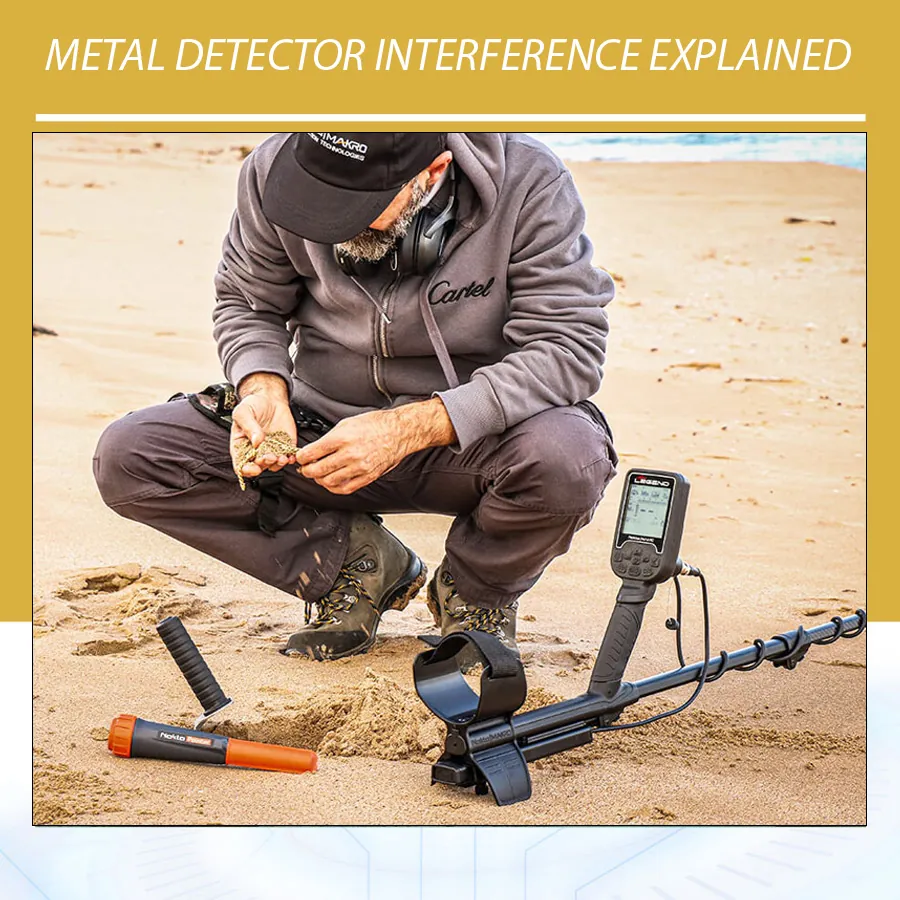
First identify the type of noise
| Source | Typical clue | First action |
|---|---|---|
| Electrical interference | Noise continues with the coil still and may change by direction or location | Use noise cancel; move away from power infrastructure if possible |
| Another detector | Noise begins when another machine comes close | Increase spacing, use different channels, or take turns |
| Ground mineralization | Noise responds to pumping the coil and varies across soil | Ground balance and choose a suitable mode |
| Wet salt | Instability near surf or saturated conductive sand | Use a beach or multi-frequency mode and reduce sensitivity |
| Equipment issue | Noise persists in multiple locations or changes when cable moves | Inspect coil, cable, connector, and battery; follow service guidance |
Do this in order
- Move away from cars, fences, phones, power installations, and other detectors for a short test.
- Turn the detector on with the coil held still and run its noise-cancel function if available.
- Ground balance over clean soil.
- Lower sensitivity until the machine settles. This is diagnosis, not defeat.
- Try a different search mode or frequency option if the manual recommends it for the site.
- Inspect cable strain relief and connector with the detector powered off. Never pull or sharply bend the cable.
Examples from Orient Detectors
The Minelab MANTICORE provides automatic, continuous automatic, and manual noise-cancel options in its published specifications. Use them before chasing random chirps with discrimination changes. Its beach and all-terrain modes are also designed for different environments, so select the correct mode first.
The Nokta The Legend offers simultaneous multi-frequency operation and a waterproof design. That does not mean any beach can be searched at maximum sensitivity. Saltwater and wet conductive sand still require a calm, repeatable setup.
Gold Stinger X6 product information describes adjustable sensitivity and ground balance. Those controls can help a user establish a stable baseline, but a false signal should never be reinterpreted as a valuable target simply because it appears on a graphic display.
What not to do
Do not raise discrimination to hide global instability. Discrimination may silence part of the target range while leaving the original noise unresolved. Do not keep lifting the coil to make chatter disappear; instead, correct settings and technique. Do not search near marked utilities or excavate any suspected cable, pipe, or hazardous item. A detector is not a utility-locating safety instrument.
What Metal Detector Interference Sounds Like
Metal detector interference rarely has one universal sound. It may appear as rapid chirping, a repeating pulse, warbling threshold, unstable target IDs, or tones that move when the operator turns. The key clue is behavior. A buried target occupies a location. Electrical noise may continue while the coil is still, appear across a broad area, or change when the control unit faces a different direction.
Ground noise behaves differently. It usually changes as the coil approaches or leaves the soil, and it may become stronger in patches of mineralization, wet salt, burned ground, brick, or hot rocks. Mechanical noise may appear when the coil cable moves, the connector flexes, or the coil touches vegetation. Separating these categories prevents random setting changes.
| Observed pattern | More likely source | Confirmation test |
|---|---|---|
| Chatter with coil motionless in the air | EMI or hardware issue | Move location, switch nearby electronics off, inspect cable |
| Noise increases when coil approaches clean soil | Ground imbalance or mineralization | Pump coil and perform ground balance |
| Noise appears when another detector approaches | Detector cross-talk | Increase separation or use different channels |
| Signal occurs when cable or connector moves | Loose cable, connector, or coil fault | Power off, inspect, secure, and retest |
| Signal repeats at one compact location | Possible target | Cross-sweep and pinpoint from two directions |
Electromagnetic Interference: Common Sources
Electromagnetic interference, abbreviated EMI, is energy from an external electrical or radio source that enters the detector’s receive system. Power distribution, electric fences, solar inverters, chargers, communication equipment, wireless headphones, phones, vehicles, and another metal detector can contribute. The effect depends on distance, orientation, frequency, shielding, and the detector’s settings.
Do not assume a rural field is free from EMI. Buried power, pumping equipment, livestock fences, radio transmitters, and distant high-voltage lines can affect a sensitive detector. Conversely, some urban parks can be searched successfully after noise cancel and a modest sensitivity reduction. Test the actual location rather than judging it visually.
If noise changes when you rotate in place, the detector may be coupling differently to a directional source. If it rises near one edge of the property, map the boundary and keep a safe distance. Never approach electrical infrastructure to improve a test.
Detector-to-Detector Cross-Talk
Two detectors operating near each other can receive part of each other’s transmitted signal. The resulting cross-talk may sound rhythmic because the machines’ timing drifts in and out of alignment. It can be mistaken for many shallow targets.
Increase the distance between operators first. Then run noise cancel separately, with both machines operating as they will during the hunt. If the models provide manual channels or selectable single frequencies, choose combinations that reduce interaction. Operators may also divide the site into zones or alternate passes. Wireless audio channel conflicts are a separate issue and may require re-pairing or changing the audio setup.
Ground Noise Is Not Always EMI
Iron mineralization and conductive salt are major sources of false response. Nokta’s official Legend information describes two broad mineralization categories: iron particles and salt. Both can produce signals that mask targets. A noise-cancel operation will not correct an incorrect ground balance, because noise cancel and ground balance address different parts of the signal.
To test for ground noise, find a target-free patch and raise and lower the coil while keeping it parallel. If the audio changes with height, perform the model’s ground-balance routine. Confirm the selected search mode suits the soil. Reduce sensitivity if the detector cannot settle. At a wet beach, use the dedicated beach mode and keep the coil height consistent across the wet/dry transition.
Hot rocks can remain responsive even after a good balance because their properties differ from surrounding soil. Check whether the response is broad, changes with direction, or breaks up in all-metal audio. Read Hot Rocks and Metal Detectors for a separate diagnostic workflow.
Mechanical False Signals
A loose coil cable can move inside the search field and generate a response. Wrap it firmly up the lower shaft without stretching it. Leave enough movement at the coil joint for adjustment. Tighten the connector according to the manual and keep contacts clean and dry.
Coil impact is another source. Striking stones, roots, or hard stubble can flex a coil or produce microphonic noise. A loose coil bolt allows the coil to wobble and change angle at every swing. Tighten only to the manufacturer’s recommendation; overtightening can damage hardware.
If falsing begins after water use, stop and inspect the approved waterproof components. Do not open a sealed control unit or connector unless the manufacturer instructs you to. Test the detector in a second location with another compatible coil if available. Persistent hardware-related noise should be referred to authorized service.
A Complete Interference Diagnostic Workflow
- Stop sweeping and hold the coil still. Determine whether the noise continues.
- Move the coil away from the ground and obvious metal. If noise remains, suspect EMI or equipment.
- Switch off or separate phones, chargers, pinpointers, and other detectors for a controlled test.
- Run automatic noise cancel with the coil positioned as the manual requires.
- If available, compare manual frequency-shift channels and select the quietest stable option.
- Return the coil to representative metal-free ground and perform ground balance.
- Reduce sensitivity only enough to eliminate random false responses.
- Check the coil cable, connector, bolt, cover, and battery condition with power off.
- Walk a short grid to determine whether the noise follows a boundary or ground patch.
- Test a known target to confirm that useful response remains.
This order matters. If you change every control before identifying the category, you will not know which change helped. Record the original profile so it can be restored after the test.
Noise Cancel, Frequency Shift, and Operating Frequency
Noise cancel usually scans channels or adjusts timing to reduce electrical interference. Minelab documents automatic and manual noise-cancel functions on several detectors. Its GPZ 7000 manual, for example, explains that automatic noise cancel listens to available channels and selects the one with the least interference while the coil remains still.
Frequency shift generally moves the operating channel by a small amount to avoid another source. It is not necessarily the same as choosing a different principal detection frequency such as 5 or 40 kHz. The Legend 2 official comparison lists automatic noise cancel and 19 manual frequency-shift channels, while also listing selectable single and multi-frequency modes. These are related but distinct controls.
Changing the main operating frequency can alter target response as well as interference. Use it after normal noise cancel when needed, and retest target behavior. A quiet channel that weakens the desired target is not automatically the best choice.
Sensitivity and Interference
High sensitivity amplifies weak target information and unwanted energy. If EMI cannot be eliminated, lower sensitivity until random sounds stop. This may reduce fringe response, but it often improves usable depth because real tones stand out. Minelab’s documentation repeatedly recommends the highest stable sensitivity rather than the maximum numeric value.
Do not compensate for interference by raising threshold or headphone volume. Those controls change what you hear, not the quality of the received signal. Avoid aggressive discrimination as a noise filter; it may simply convert instability into clipped tones and hide masked non-ferrous targets.
Search-Coil Choice and EMI
A larger coil can receive more environmental energy because it couples to a wider area. A smaller coil may run more quietly near electrical noise and will see fewer adjacent targets. This does not mean small coils are immune to EMI. Coil design, shielding, detector electronics, and source orientation matter.
When comparing coils, power the detector off before changing them, follow the connector instructions, and rerun noise cancel and ground balance. Use the same test target and site. A coil that is stable at high sensitivity in one location may still require reduction near power infrastructure.
Interference in Parks, Fields, Beaches, and Goldfields
| Site | Likely issue | Recommended starting response |
|---|---|---|
| Urban park | Power, lighting, buried services, wireless devices | Noise-cancel, smaller coil, moderate sensitivity, map noisy zones |
| Farm field | Electric fence, pump, overhead line, iron contamination | Coordinate fence status with owner, maintain safety distance, cross-sweep targets |
| Wet beach | Conductive salt, black sand, nearby electronics | Beach mode, ground procedure, stable sensitivity, constant coil height |
| Goldfield | Hot rocks, magnetic soil, other prospectors | Frequent balance checks, threshold monitoring, operator spacing |
| Inside or near structures | Wiring, reinforcement, large metal, appliances | Recognize severe limitations; use appropriate professional survey equipment where required |
Device Examples from Orient Detectors
The MANTICORE official specification lists automatic, continuous automatic, and manual noise cancel, plus selectable single frequencies and Multi-IQ+. Start with the mode-appropriate multi setting and automatic noise cancel. Use manual options only after understanding the source and keep a record of the stable channel.
The Legend provides frequency shift and noise cancellation, while The Legend 2 adds a larger set of manual shift channels according to Nokta’s current comparison page. Both also support ground-balance controls, which is useful because EMI and mineralization must be diagnosed separately.
Gold Stinger X6 includes adjustable sensitivity and ground balance. When any system shows a visual response, confirm that the response remains in one position and survives repeated passes. Display color does not convert environmental interference into a confirmed target.
How to Tell a Weak Target from Interference
A weak target normally has a spatial center. Shorten the sweep over the suspected point. Mark it, then cross from 90 degrees. The signal may weaken because of orientation or masking, but it should relate to the same small area. Pinpoint mode can help estimate the footprint.
Interference often lacks a stable center. It may produce tones at different coil positions, continue above the ground, or change when the detector is rotated. Ground noise may follow a soil patch rather than a compact point. Use several clues instead of accepting one high tone.
| Clue | Weak buried target | Interference or ground noise |
|---|---|---|
| Location | Repeats near one point | Moves, spreads, or continues everywhere |
| Cross-sweep | Often repeats with changed strength | May disappear randomly or occur in unrelated positions |
| Coil lifted | Usually weakens predictably | EMI may continue; ground noise may stop abruptly |
| Pinpoint footprint | Compact or logically target-shaped | Unstable, broad, or uncentered |
Safety Boundaries
General-purpose metal detectors cannot prove that buried utilities, unexploded ordnance, structural reinforcement, or hazardous material are absent. Do not dig near marked services or suspicious military objects. Stop, isolate the location, and contact the responsible authority or a qualified specialist. Interference near infrastructure is a reason to increase caution, not to move closer.
Creating an Interference Map
When noise is confined to part of a site, map it instead of repeatedly retuning at random. Walk parallel lines with one stable profile and mark where chatter begins and ends. Repeat from a perpendicular direction. A consistent boundary may correspond to an electrical source, buried service corridor, fence, or distinct ground material.
Do not excavate to identify an interference source. Compare the behavior with the coil held above ground. If noise continues in the air, EMI becomes more likely. If it follows coil height and soil patches, investigate ground balance. Share the map with the landowner and respect all utility markings and restricted zones.
A site map also helps decide whether a smaller coil or lower sensitivity is needed everywhere or only in a difficult zone. Save separate profiles if the detector supports them, and name each by location and conditions.
Interference During Pinpointing
Pinpoint mode often uses a non-motion response and can make broad nearby metal appear larger. If the detector is already unstable, pinpoint audio may drift or saturate. Retune pinpoint away from the suspected target according to the manual, then approach from two directions.
A compact target should produce a center that can be repeated. A long pipe, fence, reinforcement, or large sheet may pull the apparent center away from the original search-mode tone. Never use pinpoint response to declare buried infrastructure safe to dig around.
Interference and Software Updates
Manufacturers sometimes improve stability, ground handling, or settings through firmware updates. Read the release notes for the exact model and confirm that your saved profiles remain compatible. Back up settings when the manufacturer provides a method, and return to factory defaults after an update if instructed.
Do not update immediately before an important field session without time to test. Verify noise cancel, ground balance, audio, wireless connection, and coil recognition over known targets. Software can improve processing, but it cannot eliminate a strong external source or repair a damaged cable.
Case Study: Two Detectors in One Field
Two operators begin 5 metres apart and hear rhythmic chatter. Both machines are stable when the other is switched off. This strongly indicates cross-talk. The team increases spacing, runs noise cancel on each detector while both remain powered, and chooses different manual shift channels where available.
If the chatter returns as the operators approach, they divide the field into separate lanes and maintain a greater distance. Reducing sensitivity becomes the final adjustment, not the first. The important evidence is that the noise follows the second detector rather than one ground location.
Case Study: Noise Near a Wet Beach Access
A detector chatters near the access path and wet sand. The user first holds the coil still above dry ground; the noise remains near the path, suggesting EMI from nearby infrastructure. Farther along the beach, the air noise stops but the coil responds to wet sand. The site contains two different problems.
The user runs noise cancel away from the access point, selects Beach mode, balances or retunes as specified, and lowers sensitivity for the wet zone. Treating both sounds as one source would have produced poor settings. Diagnosis preserves more performance.
Interference Prevention Checklist
- Charge the detector and approved wireless equipment before the hunt.
- Inspect the coil cable, connector, cover, and mounting hardware.
- Keep phones and pinpointers away from the coil during setup.
- Coordinate frequency channels and spacing with other operators.
- Run noise cancel after arriving and after major location changes.
- Ground-balance separately on representative clean soil.
- Use the highest sensitivity that remains stable during a normal sweep.
- Stop near utilities, suspicious military objects, or unsafe excavation.
Additional Metal Detector Interference FAQs
Can a mobile phone interfere with a metal detector?
Yes, depending on distance, transmission activity, detector design, and settings. Move the phone away or enable airplane mode for a controlled comparison.
Do power lines always prevent detecting?
No, but they can reduce the stable sensitivity. Noise-cancel, maintain a safe distance, and search only where access is permitted.
Why does interference change during the day?
Electrical loads, radio activity, solar equipment, moisture, and nearby devices can change. Retune when the audio environment changes.
Will a smaller coil stop interference?
It may reduce received noise and ground volume, but it is not guaranteed. Test it with the same settings and target.
Can wireless headphones cause false signals?
Compatible systems are designed to coexist, but pairing faults or nearby wireless traffic can cause audio issues. Compare with the detector speaker and follow the manual.
Why does my detector become noisy after changing coils?
The connector may be loose, the cable may be moving, the new coil may see more ground, or the setup may need fresh noise cancel and ground balance.
FAQ
Why does my detector beep when nothing is there?
It may be electrical interference, mineralization, wet salt, excessive sensitivity, or a damaged connection. Test away from the original location to narrow it down.
Will noise cancel remove all interference?
No. It can reduce compatible electrical interference, but it cannot remove every source or replace correct ground balance.
Can two detectors interfere with each other?
Yes. Separation, different channels, and coordinated settings can reduce cross-talk.
Is interference a sign that a target is deep?
No. A deep target should still produce a localized response that can be checked from more than one direction.