Mega Scan Pro Review:
A Professional Look at the 6-System Gold and Metal Detector
The Mega Scan Pro is not a simple beep-and-dig metal detector. It is a multi-system detection platform for long-range target search, ground visualization, cavity indication, and final target checking. According to the user manual, the device combines six search systems: Ground Scan, Auto Long Range Locator, Manual Long Range Locator, Ionic, Bionic, and Pin Pointer. That makes it an ambitious detector for treasure hunters, professional prospectors, survey teams, and advanced hobbyists who want more than a basic coin detector.
This review looks at the Mega Scan Pro as a real field tool, not as a brochure. A detector with many modes can be powerful when the workflow is clear, but confusing if the user does not understand when to use each system. For that reason, this Mega Scan Pro review focuses on technical structure, field experience, best use cases, limitations, and buyer fit.
The manual presents Mega Scan Pro as a detector for gold, buried metals, archaeological targets, cavities, tunnels, and basement-like voids. It also includes a 5-inch high-resolution TFT LCD screen, 32 GB storage, Wi-Fi connection for the Android-based Multi Visual Analyzer app, a 21000 mAh removable lithium-ion battery, and multiple accessories. Those are strong foundations, but results still depend on correct setup, controlled scanning technique, soil conditions, and careful interpretation.
Mega Scan Pro Overview: What Makes This Detector Different?
The biggest selling point of Mega Scan Pro is its combination of search methods. The Long Range Locator systems are intended to narrow a wide area. Ground Scan creates a mapped view of the ground. Ionic and Bionic use the I.M.T.U sensor for signal-based searching. Pin Pointer uses the V.S.T probe to help confirm the presence and location of a target or cavity more precisely.
In field terms, the Mega Scan Pro is best understood as a layered search tool. A user may start with Auto LRL or Manual LRL to identify a promising direction, switch to Ground Scan to build a visual map, and use Pin Pointer to examine smaller zones. This workflow is more advanced than casual detecting and rewards users who are comfortable with grid scanning, repeated passes, and data interpretation.
The device also attempts to reduce operator error through on-screen assembly guidance. When a search system is selected, the device shows a video explaining the correct assembly steps, and a warning video appears if the wrong part is installed.
Mega Scan Pro Specifications
The following specification table is based on the official Mega Scan Pro user manual. Some values describe the package as shipped, while others describe the main unit and electronic platform.
| Specification | Mega Scan Pro Details |
|---|---|
| Search systems | Ground Scan, Auto LRL, Manual LRL, Ionic, Bionic, Pin Pointer |
| Package dimensions | 68 x 51 x 28 cm |
| Package weight | 17 kg |
| Material | ABS plastic |
| Processor type | ARM 64-bit |
| Processor frequency | 1.4 GHz |
| Storage memory | 32 GB |
| Memory type | SD card |
| Screen type | High-resolution TFT LCD |
| Screen size | 5 inches |
| Screen resolution | 1024 x 860 |
| Display colors | 16 million |
| Wireless connection | 2.4 GHz Wi-Fi |
| Audio output | Speaker and headset |
| Headset jack | 3.5 mm |
| Headphones | Wired headphones included |
| Internal speaker | Yes |
| Battery type | Lithium-ion |
| Battery capacity | 21000 mAh |
| Fast charging | No |
| Removable battery | Yes |
| Languages | German, English, French, Spanish, Russian, Italian, Arabic, Hebrew, Persian, Turkish, Urdu, Chinese |
| Operating temperature | 0°C to 40°C |
| Storage temperature | -20°C to 60°C |
| Humidity | 5% to 75% |
What Is Included in the Mega Scan Pro Package?
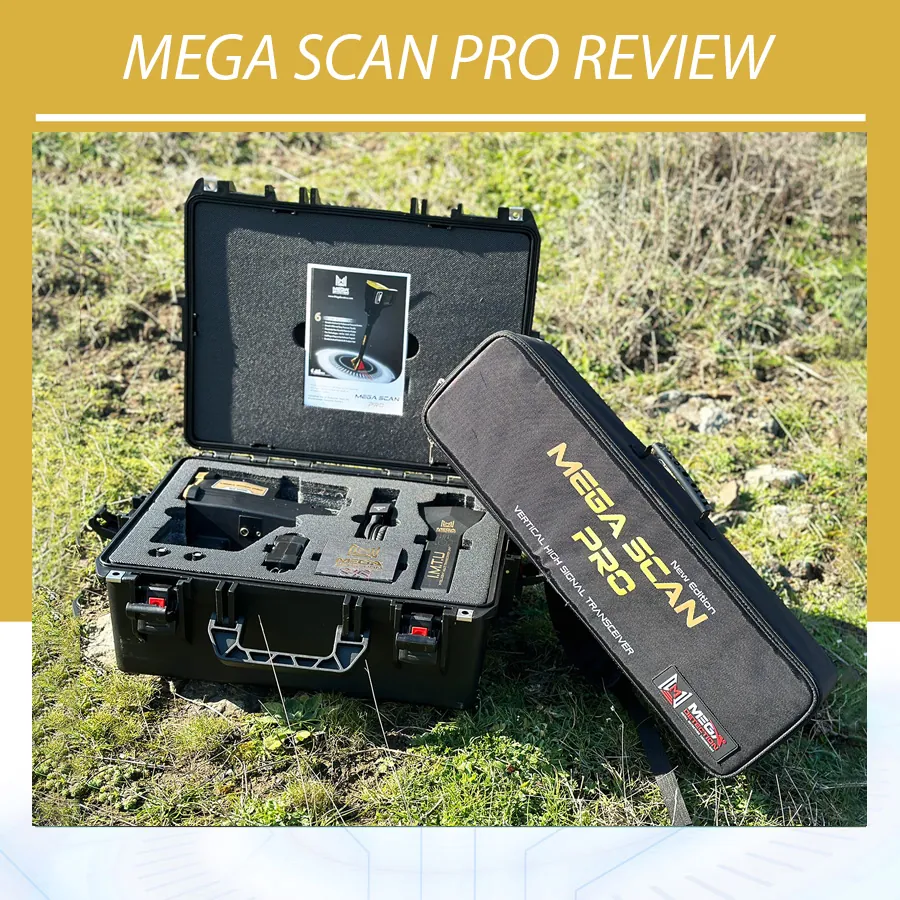
The package contents are more complete than a standard handheld detector kit. The manual lists the main unit, I.M.T.U sensor, V.S.T sensor, lithium-ion battery, two long-range antennas, headphones, and an accessories box. The accessories box includes a universal power adapter, headphone cable, and 220V battery charger.
This matters because the Mega Scan Pro depends on different hardware for different modes. The long-range antennas support LRL searching, the I.M.T.U sensor supports Ionic and Bionic modes, and the V.S.T sensor supports Ground Scan and Pin Pointer operation.

Key Features of Mega Scan Pro
Six Search Systems for Different Stages of Detection
The six-system design is the central feature of Mega Scan Pro multi-system multi technologies detector. Ground Scan is used to create 2D or 3D visualizations of a scanned area. Auto LRL is designed for broad long-range searching with predefined settings. Manual LRL gives the user more control over target type, distance, and depth. Ionic and Bionic modes use the I.M.T.U unit for signal-based searching. Pin Pointer uses the V.S.T probe to help identify the presence and position of metal or cavity signals with closer control.
In practice, the best approach is not to rely on one reading. A professional user would compare results from multiple systems, repeat scans, and use the device as part of a broader site assessment.
3D Ground Scan with Device or Tablet Display
The Ground Scan system is one of the most important parts of the Mega Scan Pro. The manual explains that it can show a 2D visualization on the detector screen or a 3D visualization on a supported Android tablet through the Multi Visual Analyzer app. The user sets scan mode, scan path, scan area width, scan area height, and starting point before beginning the scan.

The scanning process is grid based. The manual recommends a minimum rectangular scan area of at least 3 x 3 meters and suggests dimensions such as 3 x 3, 6 x 6, or 9 x 9, with 30 cm between scan points. This is not random sweeping; it is a structured survey workflow that rewards careful measurement and consistent probe height.
Read more : 3D ground scanners
Manual and Automatic Scan Options
In Ground Scan mode, the operator can choose Manual Mode or Automatic Mode. Manual Mode records measurements point by point when the user presses the start button. Automatic Mode records points at intervals, with the user moving to the next scan line when prompted. Manual scanning may be better when the ground is difficult or when precision is more important than speed. Automatic scanning may help experienced users cover a prepared area more efficiently.
One Direction and Zigzag Scan Paths
The Mega Scan Pro supports One Direction and Zigzag scan paths. One Direction keeps every scan line moving the same way. Zigzag starts the next line from the end of the previous one, saving time in open, flat areas.
Color-Coded Target and Cavity Indications
The manual uses a color system to help users interpret Ground Scan and Pin Pointer results. Green indicates normal natural ground. Light blue indicates a small cavity. Blue indicates a large void such as a tunnel. Yellow indicates a small metal object. Red indicates gold or a large metal target. This makes the interface easier to read at a glance, especially when reviewing a scan grid or watching V.S.T probe feedback.
These color indications should be treated as analysis aids, not final proof. Soil mineralization, operator movement, nearby metal, and uneven ground can influence readings.
Auto Long Range Locator for Wide-Area Searching
The Auto LRL system is designed to search a wide area for buried metal targets according to preset settings. The manual states that the device can search for targets up to 3000 meters in distance in this mode, with depth values selectable within a 0 to 100 meter range. During use, the operator stands in place and moves the device through a 180-degree scan, following the on-screen indicator from center to right, back to center, then to left and back again.
In the results report, the device shows target categories including Gold, Silver, Iron, and Diamond, with percentages representing probability ratios. Auto LRL is useful as an area-reduction tool, not a replacement for close verification or site knowledge.
Manual LRL for Target-Specific Searching
Manual LRL gives the user more control. The manual lists selectable target types including silver, gemstone, platinum, diamond, iron, copper, gold veins, cavity, gold treasure, bronze, and gold ore. Search distance can be set from 250 to 3000 meters, and the maximum depth can be selected from predefined values within 0 to 50 meters.
This system will appeal to experienced operators who want to define search parameters based on the site and expected target. The on-screen compass, antenna direction, indicator arrow, and alignment tool are useful, but proper handling remains essential.
Ionic System with Sensitivity and Gain Control
The Ionic system uses the I.M.T.U unit and is designed to detect ion fields associated with buried metal targets. The operator can control sensitivity and gain from the screen. According to the manual, reducing gain is suitable for detecting larger targets, while increasing gain is used for smaller targets. The system provides acoustic feedback and a visual ionic indicator, with signal strength changing as the user approaches or moves away from a target.
The manual also emphasizes reset technique: the user should reset from a different direction than the original signal direction and repeat the process to confirm whether the signal continues.
Bionic System for Matching a Reference Metal Field
The Bionic system is similar to the Ionic system in hardware and working method, but it is directed by a reference metallic object. The user points the I.M.T.U head at a sample of the metal type they want to find and presses the start button to set the target field. The system then searches for signals similar to that reference field.
This is useful for users looking for a specific material, but it should be used carefully. Every time the start button is pressed, the field is reset to the current reference.
Pin Pointer System for Close Verification
The Pin Pointer system uses the V.S.T probe to determine the presence of a metal target or cavity and help identify its location. The user points the V.S.T probe vertically toward the ground and keeps the distance from the ground constant. The screen shows graphical feedback, and the LED lights on the V.S.T probe display the same color indications as the screen.
This may be one of the most practical parts of the device because it supports closer investigation after a larger search area has been narrowed. Sensitivity adjustment, calibration, and reset are also available.
User Experience: Learning Curve and Field Workflow
Mega Scan Pro is not difficult because of button count; the keypad is simple. The learning curve comes from understanding the search logic. Each system has its own assembly requirements, settings, and scan technique, so users should expect a learning period.
For best results, the workflow should be methodical. Start by removing obvious sources of interference. The manual warns against indoor use, nearby detectors or electromagnetic devices within 10 meters, and holding metallic objects while operating.
During Ground Scan and Pin Pointer operation, consistent probe height and steady movement are especially important. Uneven land should be cleaned and arranged as flat as possible before scanning.

Performance in Different Conditions
In open fields, the Mega Scan Pro has the clearest operating environment: less nearby metal, less electrical interference, and enough room to use LRL and grid scanning properly.
In rough terrain, the device can still be used, but Ground Scan accuracy depends on consistency. If the V.S.T probe height changes constantly or the grid is irregular, the data becomes harder to trust.
In urban or indoor locations, Mega Scan Pro is a poor fit. The manual warns against indoor use because surrounding metals may cause constant target signals. The same caution applies near fences, vehicles, buried utilities, and other detectors.
Read following article regarding detection depth : Why detection depth is misunderstood
Best Use Cases for Mega Scan Pro
The Mega Scan Pro is best suited for advanced treasure hunting, gold prospecting research, legal archaeological-style site checking, cavity and tunnel investigation, and wide-area search projects. It is especially relevant when the user needs both directional search and visual ground analysis.
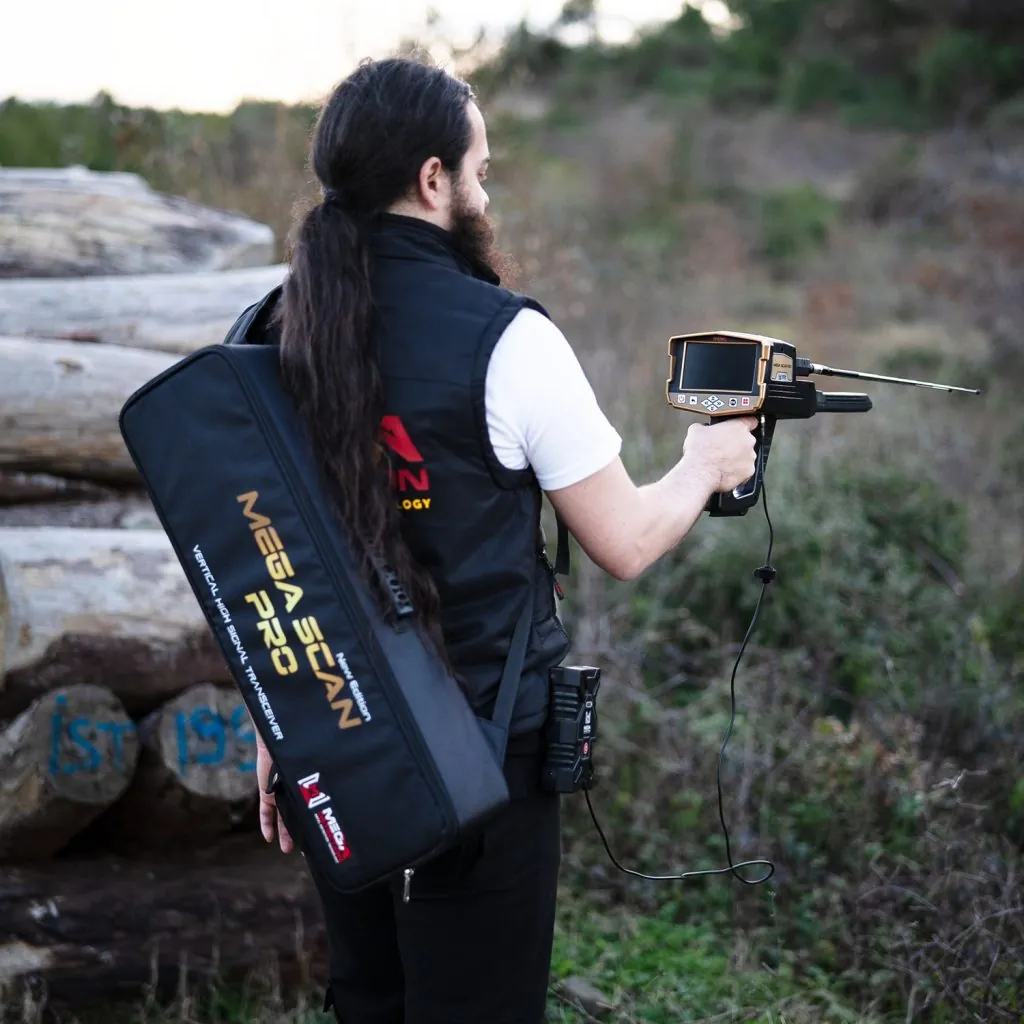
It is less suitable for beginners who only want to find coins in a park, users who need a lightweight everyday detector, or anyone who does not want to learn structured scanning. The 17 kg package weight also suggests this is a transportable field kit rather than a casual backpack detector.
Who Should Buy the Mega Scan Pro?
The best buyer is an experienced detector user, dealer demonstration team, professional prospector, or serious hobbyist who values multi-stage investigation across long-range search, ground scanning, signal analysis, and pin pointing.
It is not the best choice if you want a simple plug-and-play VLF detector or automatic certainty from one scan. Use it as a decision-support instrument, with results confirmed through repeated scans and field judgment.

Pros and Cons
Pros
- Six search systems in one package.
- 2D display on the device and 3D visualization through the Android Multi Visual Analyzer app.
- Manual and automatic Ground Scan options.
- Auto LRL and Manual LRL modes for wide-area searching.
- Selectable target types in Manual LRL, including gold, silver, diamond, copper, iron, cavity, bronze, and more.
- V.S.T probe supports both ground scan and close pin pointer work.
- I.M.T.U sensor supports Ionic and Bionic signal-based searching.
- Large 21000 mAh removable lithium-ion battery.
- Scan files can be saved and reviewed later.
- Multi-language interface support.
Cons
- Not a beginner-friendly casual detector.
- Requires careful assembly and correct probe selection for each system.
- Ground Scan results depend heavily on consistent movement and prepared scan grids.
- Indoor use is not recommended because surrounding metals can cause false signals.
- Package weight of 10 kg makes it a serious field kit rather than a light everyday detector.
- Fast charging is not supported.
- Long-range and signal-based results should always be confirmed with closer scanning.
Price and Value: Is Mega Scan Pro Worth It?
The value of the Mega Scan Pro depends on your work. For shallow coins, relics, or simple hobby searching, it is probably more complex than necessary. For wide-area exploration, gold and metal target investigation, cavity checking, and 3D scan review, the package is more compelling.
The strongest value argument is consolidation. Instead of buying separate tools for long-range searching, ground visualization, and pin pointing, Mega Scan Pro combines those roles into one integrated system. The weakness is that buyers must budget time for practice, not just money for the device.
See : Mega Scan Pro price and availability
Mega Scan Pro FAQ
How many search systems does Mega Scan Pro have?
Mega Scan Pro has six search systems: Ground Scan, Auto Long Range Locator, Manual Long Range Locator, Ionic, Bionic, and Pin Pointer.
Can Mega Scan Pro show 3D ground scan results?
Yes. The Ground Scan system can show a 2D visualization on the device screen and a 3D visualization on a supported Android tablet using the Multi Visual Analyzer app.
What is the maximum search distance?
The manual states that Auto LRL can search up to 3000 meters. Manual LRL distance can be set from 250 to 3000 meters. These values should be understood as manufacturer/manual specifications, with real-world results depending on site conditions, target characteristics, and operator technique.
What is the maximum depth?
The manual lists Auto LRL depth settings from 0 to 100 meters and Manual LRL depth settings from 0 to 50 meters. Ground and target conditions can affect practical performance.
Can Mega Scan Pro detect cavities and tunnels?
Yes. The manual describes cavity and void indications in Ground Scan and Pin Pointer modes, with light blue used for small cavities and blue used for larger voids such as tunnels.
Does Mega Scan Pro work indoors?
The manual advises against indoor use because the device may constantly give target signals due to the amount of metal commonly found indoors.
Does Mega Scan Pro save scan results?
Yes. Scan results can be saved as files and reopened later for review and analysis. The Android app can load scan files from the device and provide additional viewing and filtering options.
What app does Mega Scan Pro use?
Mega Scan Pro uses the Multi Visual Analyzer app on Android devices for ground scan display, scan file review, 3D graph analysis, filters, wireframe view, depth display, soil type settings, and color adjustments.
Final Verdict: A Capable Multi-System Detector for Serious Users
The Mega Scan Pro is a serious multi-system detector built for users who want a broad search workflow rather than a single-mode detector. Its strongest features are the six integrated systems, structured Ground Scan mode, Android-based 3D visualization, long-range search options, saved scan files, and dedicated V.S.T and I.M.T.U sensors.
As an independent review, the main caution is that complexity is part of the package. The Mega Scan Pro asks the operator to understand scan paths, target settings, probe handling, calibration, gain, sensitivity, and environmental interference. That is not a flaw for the right user, but it is important. This device is best for disciplined searchers who are willing to prepare the site, repeat readings, and interpret results carefully.
If your goal is serious gold, metal, treasure, or cavity investigation over larger areas, the Mega Scan Pro deserves attention. If your goal is casual weekend detecting with minimal setup, a simpler detector will be more comfortable. Used correctly, Mega Scan Pro is a powerful field platform with a professional feature set and a clear role in advanced detection work.