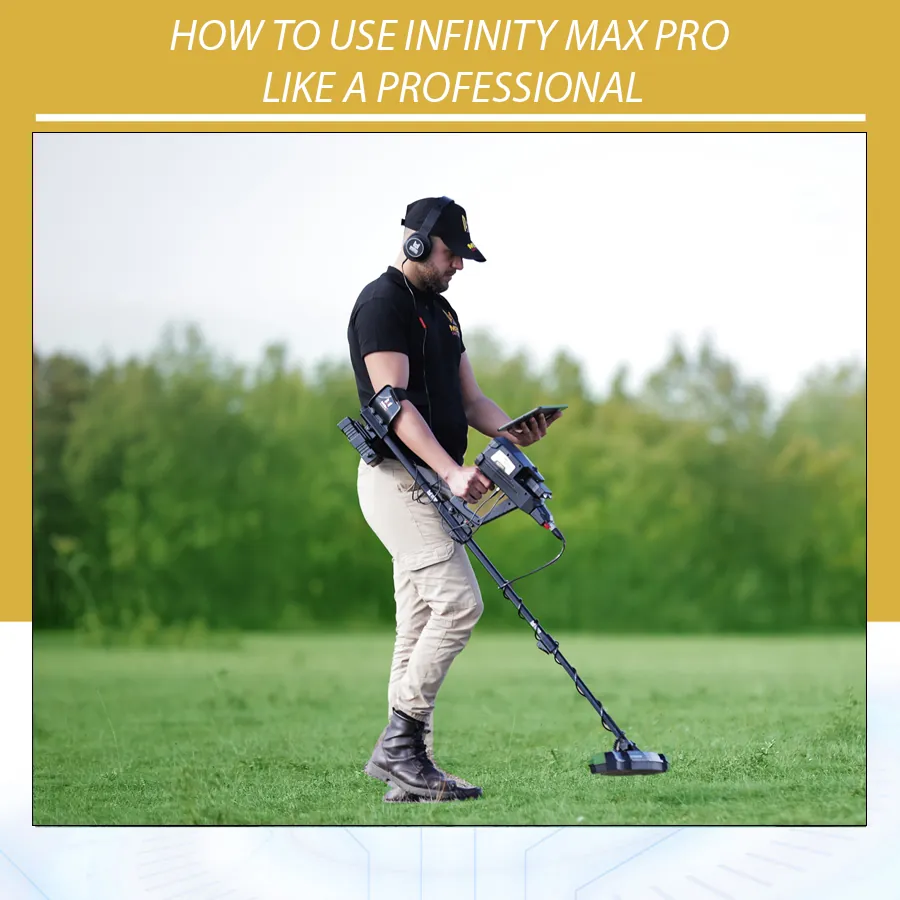
How to Use Infinity Max Pro Like a Professional: Complete Systems Guide
Infinity Max Pro is not a simple metal detector with one coil and one search mode. It is a multi-system platform designed for users who need several ways to investigate gold, buried treasures, underground cavities, tunnels, voids, and metallic targets. For that reason, the best results do not come from randomly switching between systems. They come from using the device like a professional: choosing the right system for the right stage, recording observations, repeating tests, and confirming important signals before digging.
This Infinity Max Pro systems guide explains the practical role of each system and how to combine them in the field. The article is based on the official device information used in previous Orient Detectors content, the Infinity Max Pro product listing, and the general principles of 3D ground scanning, long-range detection, geophysical testing, and direct metal detection. You can review the product page here: Infinity Max Pro detector.
The key idea is that Infinity Max Pro should be treated as a complete survey workflow. Some systems are best for reducing a large search area. Some are best for visual underground analysis. Some are best for direct metallic confirmation. Some are best for pinpointing or depth estimation. A professional user understands the job of each system instead of expecting every system to do everything.
Infinity Max Pro at a Glance
Infinity Max Pro is described as a professional multi-system detector for gold, metals, treasures, cavities, and archaeological-style targets. In previous device documentation and product information, the platform is associated with 12 search systems: Ground Scan, Tunnel Scan, Geophysical, Auto LRL, Manual LRL, Control LRL, Ionic, Bionic, Live Stream, Pin Pointer, Pulse Induction, and Smart Detect.
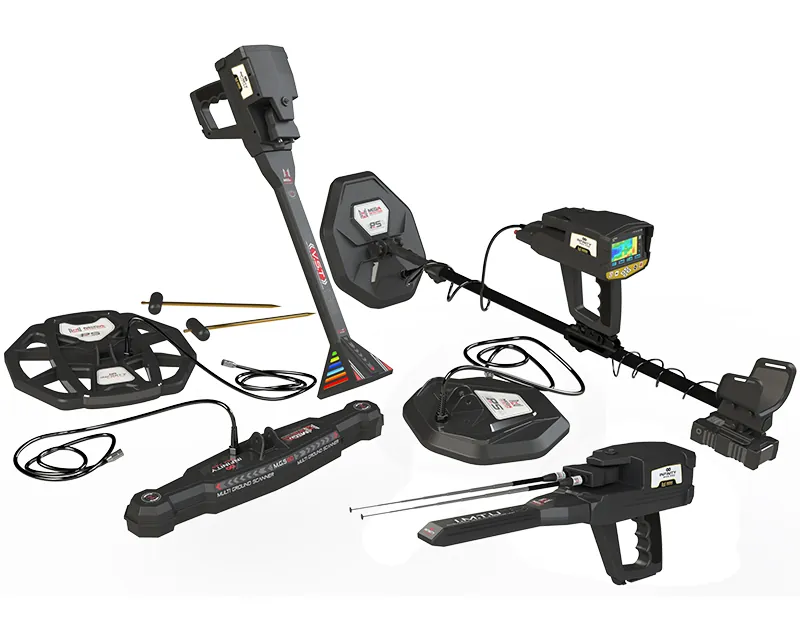
The package is built around several tools and sensors. The M.G.S 60 scanner is used for Ground Scan and Tunnel Scan. The I.M.T.U sensor is associated with long-range and field-based systems such as LRL, Ionic, and Bionic. The V.S.T sensor supports Live Stream and Pin Pointer workflows. The PS50 coil is used for Pulse Induction, while PS36 and PS28 coils are used for Smart Detect applications. Geophysical wedges support resistivity-style measurements in the Geophysical system.
| System | Main Purpose | Best Use |
|---|---|---|
| Ground Scan | 3D/visual ground scanning | Buried objects, cavities, target shape, scan maps |
| Tunnel Scan | Void-focused scanning | Tunnels, chambers, rooms, caves, graves |
| Geophysical | Ground resistance measurement | Additional confirmation for cavities, water, metals, soil changes |
| Auto LRL | Automatic long-range exploration | Large-area directional search |
| Manual LRL | User-controlled long-range settings | Experienced users with a specific target and site plan |
| Control LRL | Custom directional control | Advanced target tracking and confirmation |
| Ionic | Field/signal-based target indication | Checking possible buried metal or void signals |
| Bionic | Reference-sample search workflow | Searching with a sample of the target material |
| Live Stream | Real-time visual response | Fast checking of anomalies while moving |
| Pin Pointer | Exact location confirmation | Finding the center and boundaries of a target |
| Pulse Induction | Direct deep metallic detection | Metal targets in difficult or mineralized ground |
| Smart Detect | Direct detection with smart coils | Smaller or shallower targets and confirmation work |
The Professional Mindset: Work in Stages
The biggest mistake with advanced devices is trying to use every system at once. Professional users divide the search into stages. First, they define the search objective. Second, they reduce the area. Third, they inspect the target zone. Fourth, they confirm with another method. Fifth, they decide whether excavation is justified.
This approach makes Infinity Max Pro easier to use. Long-range systems are not the final proof. 3D scans are not final proof. A geophysical reading is not final proof. A direct detector response is not always final proof either. Each system adds evidence. When several systems point to the same area in a logical way, confidence increases.
Step 1: Define the Target Before Choosing a System
Before turning on Infinity Max Pro, define what you are looking for. Are you searching for raw gold? A buried treasure container? A possible cavity? A tunnel? A large metallic object? A small target near the surface? The answer changes the system you should use first.
- For wide-area treasure search, start with Auto LRL or Manual LRL.
- For suspected cavities, start with Tunnel Scan or Ground Scan.
- For structured underground analysis, use Ground Scan with Multi Visual Analyzer.
- For direct metallic confirmation, use Pulse Induction or Smart Detect.
- For target centering, use Pin Pointer.
- For additional ground evidence, use Geophysical testing.
This is why Infinity Max Pro is valuable for serious users. It gives multiple tools, but the user must choose the right sequence.
Ground Scan System: Visual Mapping for Targets and Cavities
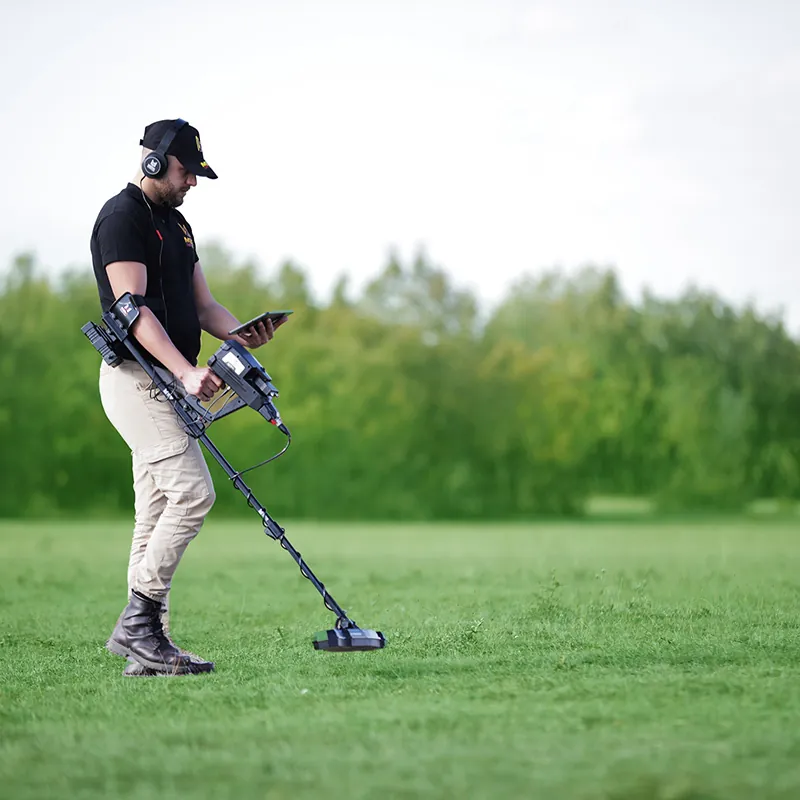
Ground Scan is one of the most important systems in the Infinity Max Pro systems guide because it creates visual information from a defined scan area. It uses the M.G.S 60 scanner to collect data and can show results as 2D visualization on the device or 3D visualization through the Multi Visual Analyzer app on an Android tablet.
Use Ground Scan when the target area is already defined or when you want to inspect a smaller zone more carefully. This system is relevant for burials, underground cavities, tunnels, basements, and metallic targets. It is not the fastest way to cover a huge area, but it is one of the best ways to understand a suspicious location.
Professional advice: mark the scan grid before scanning. Keep lines straight. Maintain stable sensor height. Repeat the scan from another direction if the result looks important. A good 3D scan should have clean geometry, not just dramatic colors.
Tunnel Scan System: When the Target Is a Void, Not a Metal
Tunnel Scan is a specialized system for users investigating underground cavities and structures. It is used for tunnels, chambers, cellars, shelters, caves, graves, and similar void-like spaces. The important difference is that Tunnel Scan focuses on cavity-style responses rather than ordinary metal targets.
Use Tunnel Scan when the search objective is a hidden room, tunnel, basement, burial chamber, or empty space. Do not use it as your main mode for small gold nuggets or coins. Its value is in void investigation. A tunnel or room should normally show a structured shape, direction, or area. Random patches should be rechecked.
Geophysical System: A Second Layer of Evidence
The Geophysical system uses ground resistance measurements through wedges placed in the soil. In the Infinity Max Pro workflow, this system can provide additional information about ground differences associated with targets such as gold, bronze, silver, water, iron, cavities, or copper. It is more technical than simple sweeping, but it can be valuable when used properly.
Use Geophysical testing after a suspicious area has been identified. For example, if a Ground Scan suggests a possible cavity, geophysical measurement can provide another form of ground evidence. If a long-range system points to a location, geophysical testing may help decide whether the ground itself shows an unusual response.
Professional advice: geophysical readings need careful setup. Poor wedge contact, dry soil, uneven placement, or incorrect spacing can affect results. Treat the system as confirmation, not a shortcut.
Auto LRL: Best for Large-Area Exploration
Auto LRL is designed to help scan a large area from a fixed point. It is useful when the search area is wide and the user wants to identify a general direction or target zone before performing closer inspection. Long-range systems are attractive because they can reduce time in large desert, farm, mountain, or open-land environments.
Use Auto LRL when you are at the beginning of a search and do not yet know where to focus. Set target type, distance, and depth according to the site plan. Then follow the directional response carefully. When the system points to a direction, mark it. Do not dig immediately. Move to another position and repeat. If multiple readings intersect in a similar zone, that location deserves closer testing.

Manual LRL and Control LRL: For Experienced Directional Work
Manual LRL and Control LRL give experienced users more control over long-range searching. These systems are best for users who understand target selection, depth/range expectations, directional tracking, and confirmation routines. They should not be used randomly by beginners without a clear plan.
Professional advice: long-range work should always be triangulated. Take readings from different locations. Mark lines on a map or notebook. Look for consistent intersections. Then switch to Ground Scan, Geophysical, Live Stream, Pin Pointer, Pulse Induction, or Smart Detect depending on the target type.
Ionic System: Signal-Based Investigation
The Ionic system is used for signal-based target indication. It can be helpful when checking possible buried metal or void responses, especially in a search workflow that already has a suspected target area. Like other field-based systems, it requires calibration and repeated testing.
Use Ionic after a broad search has suggested a zone. Move slowly, keep the device stable, and avoid testing near vehicles, power lines, large metal structures, or obvious interference sources. If the response is not repeatable, do not overvalue it.
Bionic System: Searching With a Reference Sample
Bionic systems are generally used with a reference material or target sample. The idea is to support searching for a target type by using a known sample as part of the workflow. This mode is more specialized and should be used by trained operators who understand the correct setup.
Use Bionic when you have a clear target material and enough open space to work properly. As with LRL and Ionic systems, repeatability matters. A single directional movement should not be treated as final proof.
Live Stream: Real-Time Ground Feedback
Live Stream gives the user real-time response while moving over the ground. This system is useful for quick checking after another mode suggests an area. It can help show whether the ground response changes in a consistent pattern.
Use Live Stream when you want immediate visual feedback without completing a full grid scan. It is helpful for checking the boundaries of an anomaly, comparing nearby areas, or deciding where to place a more detailed Ground Scan grid.
Pin Pointer: Finding the Exact Target Location
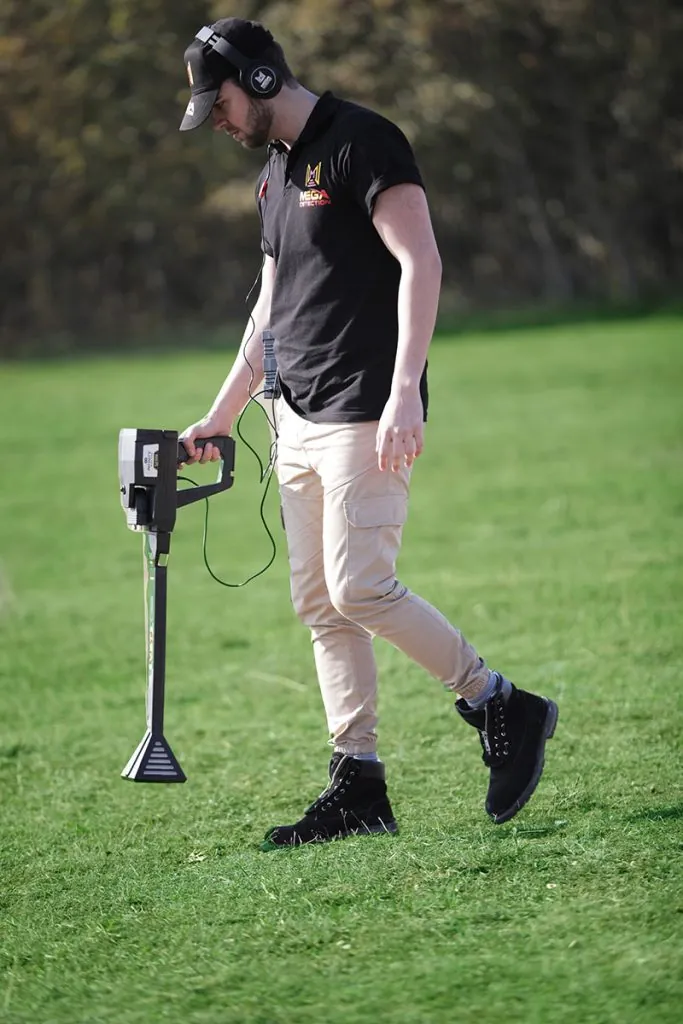
Pin Pointer is a confirmation system. Once another mode indicates a target, Pin Pointer helps define the exact center or boundaries. This is important because a broad detection response can lead to unnecessary digging if the user cannot locate the strongest point.
Use Pin Pointer before excavation. Approach the signal from multiple directions. Mark the strongest point. If the center shifts too much, check whether there are multiple objects, surface trash, or inconsistent ground conditions.
Pulse Induction: Direct Detection in Difficult Ground
Pulse Induction is one of the most practical direct detection systems for metallic targets, especially in challenging soil. PI technology is often valued in mineralized ground because it can handle difficult conditions better than many conventional VLF detectors, although each device and coil behaves differently. For users interested in the broader technology comparison, see Pulse Induction vs VLF Metal Detectors.
Use the Pulse Induction system when you need direct metallic confirmation. It is especially useful after Ground Scan, LRL, or Geophysical testing suggests a possible target zone. A strong direct metal response gives more confidence than a visual scan alone.
Smart Detect: Smaller Targets and Practical Confirmation
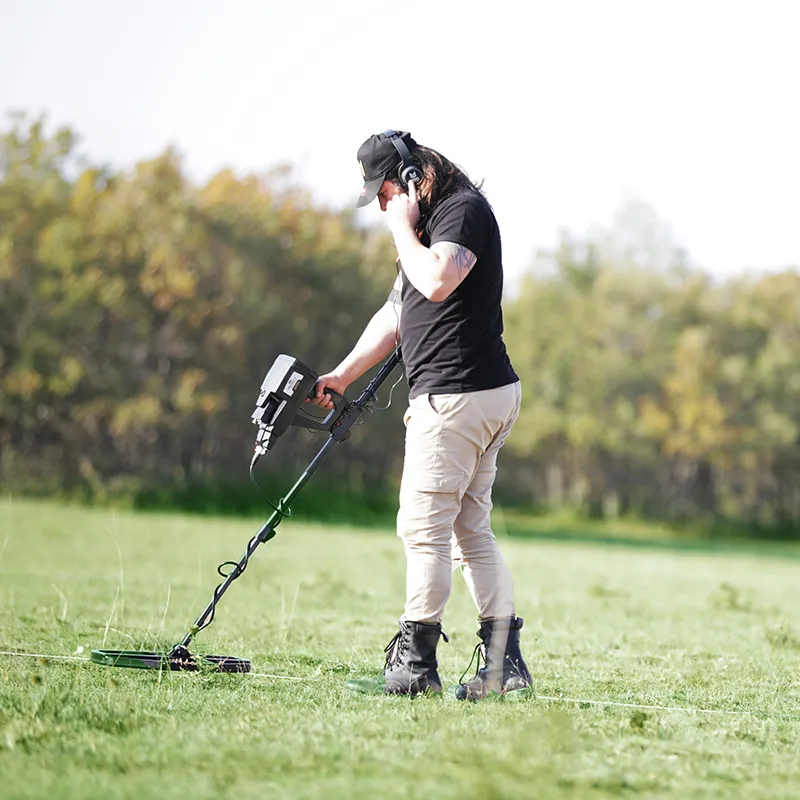
Smart Detect supports direct search and confirmation using the appropriate coils. It is useful when the target may be smaller or shallower, or when the user wants a more detector-like workflow within the Infinity Max Pro ecosystem. For small objects, coil selection and clean technique are very important.
Use Smart Detect when searching for smaller targets, checking around a larger anomaly, or confirming whether an area contains metallic signals. If the main objective is tiny raw gold, a specialized nugget detector may still be simpler, but Smart Detect adds useful flexibility to Infinity Max Pro.
Best Professional Workflow for Infinity Max Pro
A practical professional workflow might look like this:
- Study the site and define the likely target type.
- Use Auto LRL or Manual LRL if the area is large.
- Mark directional intersections from multiple positions.
- Use Live Stream or Pin Pointer for quick local checking.
- Use Ground Scan for visual mapping of the target zone.
- Use Tunnel Scan if a cavity or void is suspected.
- Use Geophysical testing for another layer of evidence.
- Use Pulse Induction or Smart Detect for direct metal confirmation.
- Repeat the most important test from another direction.
- Make an excavation decision only after several pieces of evidence agree.
Common Mistakes to Avoid
Using the Most Advanced System First
Advanced does not always mean appropriate. Start with the system that matches the search stage.
Digging From One LRL Reading
Long-range indications should be confirmed with closer systems before digging.
Ignoring Scan Geometry
A 3D scan is only useful if the grid was measured and walked correctly.
Expecting Exact Depth in Every Condition
Depth is affected by target size, soil, mineralization, moisture, and measurement quality.
Forgetting to Record Results
Professional users take notes, mark locations, save scan files, and compare repeated tests.
Which Infinity Max Pro System Should You Use?
| Goal | Best Starting System | Best Confirmation System |
|---|---|---|
| Large area search | Auto LRL | Ground Scan + Pin Pointer |
| Buried chamber or tunnel | Tunnel Scan | Ground Scan + Geophysical |
| Deep metal target | Ground Scan or LRL | Pulse Induction |
| Small metal target | Smart Detect | Pin Pointer |
| Professional site report | Ground Scan | Multi Visual Analyzer + repeat scan |
Professional System Combinations
A strong Infinity Max Pro systems guide must explain combinations, not only individual modes. In real treasure hunting, one system may suggest a target, but another system must make the decision stronger. The device becomes much more useful when you pair systems according to the target scenario.
LRL + Ground Scan + Pulse Induction
This combination is useful for large-area treasure search. Auto LRL or Manual LRL can help narrow the field. Ground Scan can inspect the suspected zone visually. Pulse Induction can check whether the target has a direct metallic response. If the three results agree in the same area, the target deserves serious attention.
Tunnel Scan + Geophysical + Ground Scan
This combination is better for cavities, tunnels, rooms, and underground structures. Tunnel Scan focuses the search toward void-style anomalies. Geophysical testing provides another measurement layer related to ground resistance. Ground Scan helps visualize the area and document the anomaly. If the shape is structured and repeatable, confidence increases.
Smart Detect + Pin Pointer
This combination is practical for smaller targets or confirmation work. Smart Detect can identify direct signals in a detector-style workflow. Pin Pointer helps locate the strongest center. This is useful around a larger scan area where several small metallic objects may exist.
Ionic + Bionic + LRL
This combination belongs to more experienced users. Ionic and Bionic systems can support signal-based and reference-sample workflows, while LRL systems help directional search. These systems should be used away from interference sources and confirmed with ground scan or direct detection before excavation.
Training Plan for New Infinity Max Pro Users
Infinity Max Pro is advanced, so a new user should not begin in a real high-pressure site. Start with training sessions. Place known targets in controlled locations. Practice with one system at a time. Record how the device responds. Then combine systems gradually.
- Learn device assembly and sensor roles first.
- Practice Smart Detect and Pin Pointer on known metal targets.
- Practice Pulse Induction in clean ground and then in mineralized ground.
- Mark a small scan grid and practice Ground Scan technique.
- Review results in Multi Visual Analyzer and compare with the known target position.
- Practice Tunnel Scan over known empty spaces or controlled test areas if available.
- Use LRL systems only after understanding how to mark and triangulate directions.
- Use Geophysical testing only after learning proper wedge placement and field notes.
This training plan turns the Infinity Max Pro systems guide into real skill. The operator learns what a good response looks like, what a false response looks like, and how much confidence each system deserves.
How to Explain Infinity Max Pro to Customers
Dealers and trainers should avoid presenting Infinity Max Pro as a magic device. A better explanation is that it is a professional platform with several search methods. Each method answers a different question. This makes the device powerful, but it also means the buyer must learn a workflow.
A customer-friendly explanation might be: “Infinity Max Pro can help you explore wide areas, scan suspicious ground, investigate cavities, and confirm metal targets. The best results come when you use several systems together and repeat important readings.” This is honest, clear, and more credible than exaggerated promises.
Field Notes Template
Use this simple template during serious searches:
| Field Note | Example |
|---|---|
| Location | North side of valley, near rock boundary |
| Target objective | Possible buried metal or cavity |
| System used first | Auto LRL from three positions |
| Confirmation system | Ground Scan and Pulse Induction |
| Result | Repeatable anomaly near scan center |
| Confidence | Medium, repeat scan recommended |
| Next action | Expand grid and confirm with Pin Pointer |
FAQ: Infinity Max Pro Systems Guide
Is Infinity Max Pro suitable for beginners?
It can be used by beginners who are willing to train, but it is better suited to serious users because it includes many systems, sensors, and workflows.
Which system is best for tunnels?
Tunnel Scan is the most relevant starting system for tunnels, chambers, and void-like spaces. Ground Scan and Geophysical testing can add confirmation.
Which system is best for metal confirmation?
Pulse Induction and Smart Detect are the most direct metal detection options, while Pin Pointer helps define the target center.
Should I trust one system only?
No. Infinity Max Pro is strongest when several systems are used together in a logical sequence.
Final Advice
Infinity Max Pro is powerful because it gives the user several ways to read a search site. But power without method creates confusion. A professional user does not jump from system to system randomly. He chooses a system based on the search stage, records the result, confirms with another method, and repeats important tests.
If you use this Infinity Max Pro systems guide as a field framework, the device becomes easier to understand. Use LRL systems to reduce large areas, Ground Scan and Tunnel Scan to visualize suspicious zones, Geophysical testing to add a different measurement layer, Live Stream and Pin Pointer for local checking, and Pulse Induction or Smart Detect for direct metal confirmation. That is how Infinity Max Pro becomes a professional tool rather than a complicated menu.
Resources
- Orient Detectors: Infinity Max Pro
- Mega Locators: Infinity Max Pro official product page
- Orient Detectors: Infinity Max Pro Review
- Orient Detectors: How to Read 3D Ground Scan Results
- Orient Detectors: Pulse Induction vs VLF Metal Detectors
- Orient Detectors: Best 3D Metal Detectors for Underground Treasures and Cavities