Metal Detector Target ID Explained: A Complete Guide to Reading Numbers
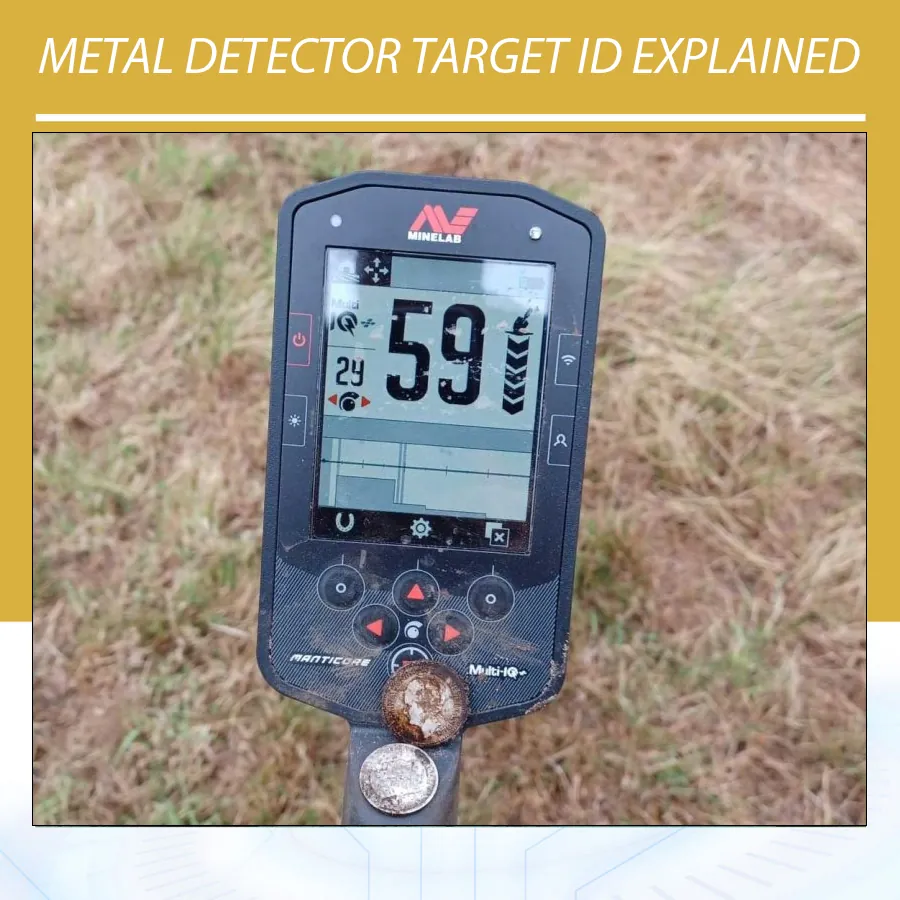
If you use a modern metal detector, you have probably seen a number appear on the screen when the coil passes over a target. This number is called the metal detector target ID. It can help you decide whether a signal may be an iron object, coin, jewellery item, relic or natural gold. However, Target ID is an estimate, not an identification certificate.
The same object can show different numbers on different detectors, and even one detector can display changing numbers in the field. Understanding why this happens helps you use the display correctly, avoid missed targets and dig with better confidence.
What is metal detector Target ID?
Target ID is a visual reading generated from the electromagnetic response received by the search coil. The detector analyses characteristics of that response and converts them into a number, scale, cursor position or two-dimensional display.
On many coin and relic detectors, the number is mainly related to the target’s apparent electrical conductivity. Some advanced detectors also display a separate ferrous value, which describes magnetic or iron-related behaviour. Minelab explains that conductivity depends mainly on a target’s size, shape and material properties. This is why Target ID can narrow the possibilities without proving exactly what is underground.
Target ID systems vary. One model may use 0–99, another may use negative and positive numbers, and a simpler detector may show only low, medium or high conductivity. Always read the scale in your own detector’s manual.
How does a detector create a Target ID?
The search coil transmits an electromagnetic field into the ground. A conductive or ferrous object disturbs that field and produces a secondary response. The control box measures the response’s strength, timing and phase characteristics, then assigns a position on the detector’s identification scale.
This process is influenced by the detector’s operating frequency, signal processing, search mode, coil design and recovery speed. A Target ID is therefore the detector’s interpretation of a signal under particular conditions. It is not a direct measurement of the object’s name, purity or value.
Conductivity and ferrous properties
Conductivity describes how readily a target supports electrical current. Large silver coins and copper objects often produce stronger high-conductivity responses. Thin foil and small low-conductivity items often appear lower on a scale. Ferrous properties describe the magnetic behaviour associated with iron and steel. Rust, shape and mineralisation can make an iron target behave unpredictably.
Some detectors combine these measurements into one number. Others show conductivity and ferrous properties separately. For example, Minelab’s MANTICORE uses a two-dimensional Target ID Map that plots a response using both properties. The display format changes, but the principle is the same: the detector is classifying a measured response.
For technical background, see Minelab official Target Identification explanation and Nokta Simplex Ultra documentation. These references reinforce that Target ID is model-specific and based on measured response properties.
Why does metal detector Target ID vary from device to device?
Target ID numbers are not universal. A Target ID of 80 on one brand does not automatically equal 80 on another. Manufacturers choose different scales, calibration methods, frequencies and signal-processing algorithms.
| Cause of variation | What changes | Practical result |
|---|---|---|
| Number scale | Different ranges, such as 0–99 or negative-to-positive | The same target receives different numbers |
| Operating frequency | How strongly the detector responds to different conductors | Small gold, foil and coins may shift position |
| Coil design | Transmit field shape, size and sensitivity | Depth, separation and ID stability change |
| Signal processing | Filters, sampling and recovery-speed choices | Mixed or weak targets may be classified differently |
| Ground conditions | Mineralisation, salt, moisture and hot rocks | Numbers may become lower, higher or unstable |
| Target characteristics | Size, shape, alloy, orientation and depth | One material can occupy several ID ranges |
For this reason, published Target ID charts should be treated as model-specific field references. They can help you learn patterns, but they should not be copied from one detector to another.
Why can the same target show different numbers?
Target size and shape
A large, thick object generally produces a different response from a small or thin object made of the same alloy. A thin gold chain, a heavy gold ring and a large gold coin may all appear in different parts of the scale. A bottle cap can also produce a coin-like response because its shape creates a complex electromagnetic signature.
Target orientation
A coin lying flat may give a clean, repeatable reading. The same coin standing on edge can give a weaker or less stable number. Rings, elongated objects and irregular scrap can change response as you sweep across them from different directions.
Depth and signal strength
As a target becomes deeper, the response usually becomes weaker and more affected by surrounding ground. The detector may show a narrow range of changing numbers instead of a stable ID. A deep target that reads like iron should not automatically be rejected, especially at a historically interesting site.
Nearby metal and target masking
A coin beside a nail can produce a blended response. Depending on sweep direction, coil size and recovery speed, the detector may report the iron, the coin or an unstable combination. Separate, repeatable responses from multiple directions are more informative than one isolated number.
Soil mineralisation and salt
Iron minerals, wet salt sand and hot rocks can add a response that interferes with the target signal. Poor ground balance can make the Target ID jump or cause false signals. Correct ground balance reduces the detector’s response to changing soil, but it cannot make every target display a perfect number.
Target ID versus discrimination
Target ID tells you how the detector classifies a response. Discrimination uses those classifications to accept, reject or change the audio of selected ranges. They are related but different functions.
| Feature | Question it helps answer | Limitation |
|---|---|---|
| Target ID | What response range does this signal resemble? | It cannot confirm the object or its value |
| Discrimination | Which response ranges should the detector report? | Rejected good targets may share a range with trash |
| Audio tone | How does the signal sound and repeat? | Tone depends on the detector and user settings |
| Depth estimate | How strong or deep might the response be? | Soil, target size and calibration affect the estimate |
Using aggressive discrimination can silence a small gold item, thin jewellery or a desirable target next to iron. Learn your detector in an open test area before deciding which ranges to reject. Orient’s metal detector discrimination guide explains the relationship in more detail.
How to read Target ID in the field
- Check the response from several directions. Sweep north–south and east–west. A repeatable number is more useful than a single reading.
- Watch the full range, not only the highest number. Note whether the ID stays close together or jumps across a wide range.
- Listen to the audio. A clean, repeatable tone combined with a consistent ID is stronger evidence than the number alone.
- Raise the coil slightly. If the response disappears immediately, it may be a weak or deep target. If the ID changes dramatically, the signal may be complex.
- Change the sweep angle or use a smaller coil. This can separate a target from nearby iron and improve identification.
- Record the result after recovery. Your own test garden and field notes become more useful than a generic chart.
What do common Target ID ranges mean?
Ranges differ by detector, so the following descriptions are broad patterns only:
- Low or negative readings: iron, small foil, tiny low-conductivity items or mineralised responses may appear here.
- Low-to-mid readings: thin jewellery, foil, small bronze objects, pull tabs and some small gold items can overlap.
- Mid-to-high readings: many copper, brass and aluminium objects, larger jewellery and some coins may appear here.
- High readings: larger or highly conductive coins and silver-like objects often respond here, but large iron and aluminium can also imitate them.
Natural gold deserves special caution. Nugget Target IDs can occur across a broad range because size, shape, purity and ground conditions vary. Small nuggets often produce low readings, while larger nuggets may read higher. Do not reject a possible goldfield signal only because its number is low.
Why Target ID is less reliable in difficult ground
Target ID is most stable when the target is shallow, isolated and located in mild soil. Stability decreases when the ground is highly mineralised, salty, wet, full of hot rocks or crowded with metal. A detector may still detect deeply, but its classification becomes less certain.
Use an appropriate ground-balance procedure, reduce sensitivity if the detector is overloaded and slow your sweep. If your detector offers a beach, salt or mineralised-soil mode, follow the manufacturer’s instructions. The goal is a usable signal that repeats, not the largest possible number on the screen.
How to build your own Target ID reference chart
A personal chart is more reliable than a chart copied from another model. Bury known objects at modest depths in clean ground and label them. Test coins, aluminium, iron, brass, lead, rings and representative gold items if you prospect.
- Use the detector, coil, mode and settings you normally search with.
- Test each object flat, on edge and at different sweep angles.
- Repeat the test after changing sensitivity, frequency or ground conditions.
- Record the complete ID range and audio behaviour, not just one number.
- Leave overlapping ranges marked clearly; overlap is normal.
Never use a test garden to promise that a target in the field has a specific composition. Use it to recognise patterns and decide which signals deserve investigation.
Examples from detectors available at Orient Detectors
The following examples show why Target ID must be interpreted within each detector’s own system. They are practical illustrations, not universal metal-identification rules.
Garrett ACE 400i: a 0–99 Digital Target ID
The Garrett ACE 400i uses a 0–99 Digital Target ID scale. A user may learn that common coins tend to occupy familiar parts of this scale, but aluminium and bottle caps can overlap those readings. The useful lesson is repeatability: compare the number, tone and response from more than one direction instead of trusting a single value.
Minelab Equinox: a different -9 to 40 scale
The Minelab Equinox uses a -9 to 40 Target ID range. Its negative and low readings are commonly associated with ferrous responses, while higher numbers generally represent stronger non-ferrous conductivity. An Equinox reading cannot be compared directly with an ACE 400i reading because the scales and processing are different.
Nokta The Legend 2: 99-point ID with FerroCheck
The Legend 2 uses an expanded 99-point Target ID scale and includes FerroCheck to help assess ferrous interference. In a park, a stable non-ferrous number may support a coin hypothesis. Beside iron, however, the number or ferrous indication can change as the coil crosses the target. Use the smaller coil and different sweep directions to investigate separation.
Minelab MANTICORE: conductivity plus ferrous position
The Minelab MANTICORE adds a 2D Target Identification Map. Instead of relying on one number, the user sees a response positioned according to apparent conductivity and ferrous properties. A clean, repeatable plot can help compare targets, while a smeared or shifting plot may indicate depth, iron nearby, mineralisation or a complex object. The map still describes a detector response; it does not reveal an object with certainty.
Gold Stinger X6: system and mode matter
The Gold Stinger X6 combines several detection systems, including an All Metals mode designed to report metal without the same filtering used by discrimination modes. On a multi-system device, the display and audio should be interpreted within the active system. A response in an All Metals scan should not be compared with a filtered VLF Target ID as if both readings used the same scale.
These examples demonstrate the central rule: learn the scale, tones and stability patterns for your exact detector, coil and search mode. Product pages and manuals are the correct sources for model-specific ranges and controls.
Target ID on different detector types
VLF and multi-frequency detectors
VLF and simultaneous multi-frequency detectors commonly provide the most detailed conductivity and ferrous displays. They are useful for coins, relics and jewellery, although mineralised soil and mixed targets can reduce ID stability.
Pulse-induction detectors
Pulse-induction detectors are valued for depth and performance in mineralised ground. Depending on the model, they may offer limited Target ID or a more specialised ferrous indication. If a PI detector does not provide a conventional number, rely more on audio, repeatability, ground response and recovery testing.
Basic detectors
Entry-level detectors may use icons, tone categories or a small number of segments rather than a detailed numerical scale. The same principles still apply: the display is a classification aid, and the signal must be interpreted with location, sound and repeatability.
Common Target ID mistakes
- Treating one number as proof of gold, silver or a coin.
- Comparing numbers from different detector brands as if the scales were identical.
- Rejecting every low or unstable signal in a goldfield or relic site.
- Ignoring the effect of sweep direction, depth and nearby iron.
- Increasing sensitivity until the detector becomes noisy, then trusting unstable IDs.
- Changing several settings at once and losing track of what improved the response.
Frequently asked questions
Does Target ID tell me exactly what the object is?
No. It estimates how the detected response behaves. Several different objects can share a similar ID, and one object can show different IDs under different conditions. Recovery is the only reliable way to identify an unknown target.
Why does my Target ID jump while I sweep?
Possible causes include depth, mineralised soil, a tilted or irregular target, nearby metal, excessive sensitivity or electromagnetic interference. Check ground balance, slow the sweep and compare the response from multiple directions.
Are high Target IDs always good targets?
No. High-conductivity coins can read high, but large aluminium, brass and some iron objects can do the same. Use the number with tone, repeatability, target shape and site history.
Can gold have a low Target ID?
Yes. Small gold and thin jewellery are often low-conductivity responses, and natural nuggets vary widely in size and shape. Low readings should not be automatically rejected where gold is a realistic possibility.
Why are my numbers different from a Target ID chart online?
Charts are tied to a specific detector, coil, software version and test setup. Your soil, sweep speed, target orientation and depth may also differ. Treat online charts as starting references and create a local chart for your own equipment.
Should I dig an unstable Target ID?
That depends on the site and your search goal. In a modern park, you may choose to focus on repeatable signals. On an old site or goldfield, an unstable deep or low signal can be worth investigating because desirable targets may overlap with trash.
Use Target ID as evidence, not a verdict
A metal detector Target ID is most useful when it forms part of a larger picture. Combine the number with audio quality, repeatability, sweep direction, depth behaviour, ground conditions and the history of the location. Learn the response patterns of your own detector and coil, keep discrimination moderate and dig enough uncertain signals to improve your judgement.
For related learning, read Orient’s guides to how metal detectors work, ground balance and metal detector coils. Always check the manual for your exact model before applying a Target ID chart or changing advanced settings.