This distinction matters whenever someone claims that all-metal automatically goes deepest, finds every metal equally, or eliminates interpretation. A detector still responds according to its technology, coil, frequency, target size and orientation, ground conditions, settings, and technique. Tiny low-conductive metal, large iron, an edge-on coin, and mineralized soil do not become equivalent because rejection is disabled.
This guide explains the main meanings of all-metal, how it relates to threshold, discrimination, Target ID, ground balance, sensitivity, and pinpointing, and when it is useful. The product examples come from current detector documentation and models available through Orient Detectors: Garrett ATX, Minelab MANTICORE, and Nokta The Legend.
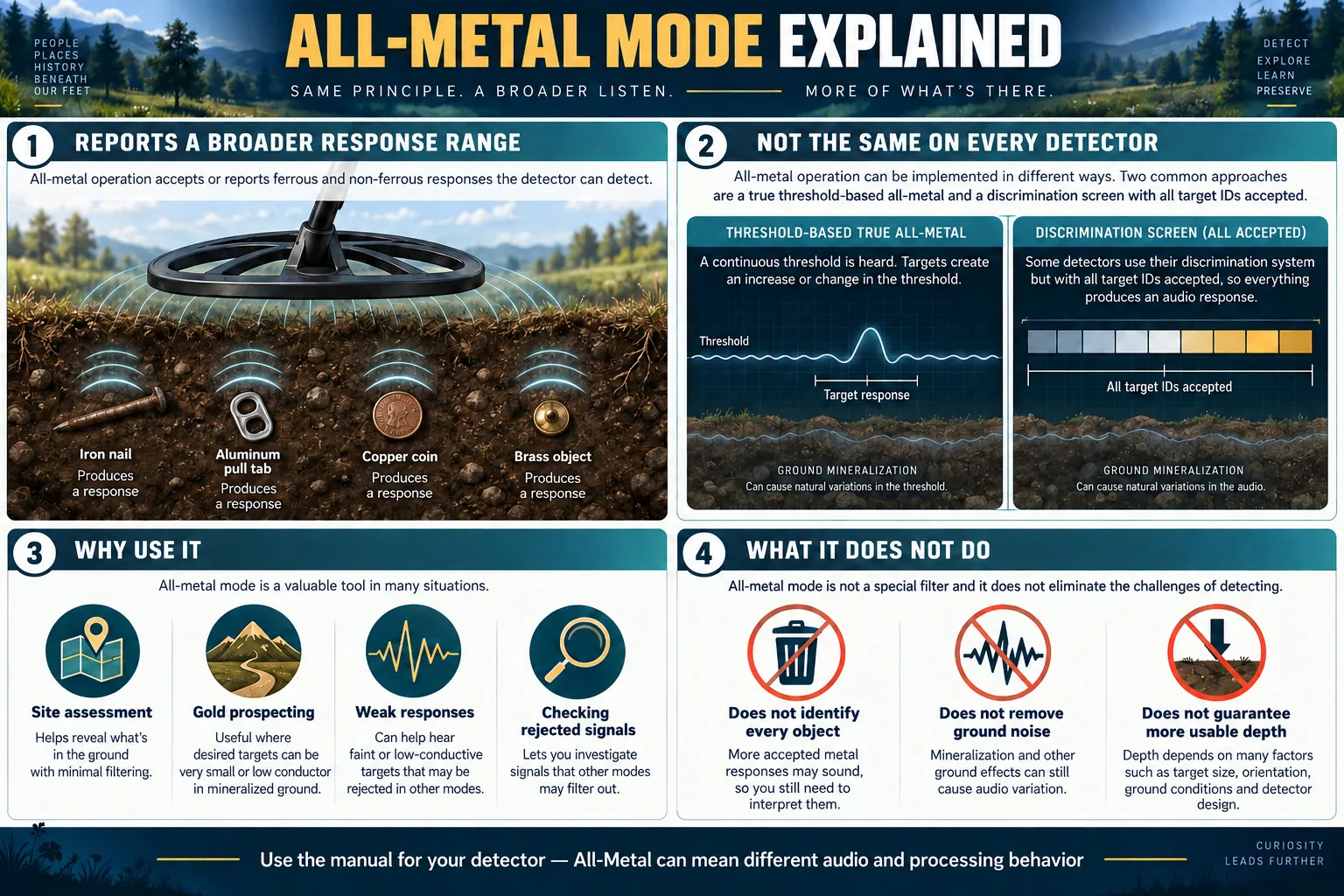
An all-metal mode can expose more of the metal response picture, but its exact behavior depends on the detector.
What does all-metal mode mean?
In everyday detecting language, all-metal means that the detector is not deliberately silencing metal targets through a discrimination pattern. If the detector can respond to the object under the current conditions, both ferrous items such as nails and non-ferrous items such as copper coins, aluminum foil, brass relics, or gold jewelry can produce a response. The user then decides what to investigate by listening to the audio and, where available, considering Target ID or visual information.
The important phrase is “if the detector can respond.” All-metal is not a promise that every metal will be detected at every depth. A target can remain too small, too deep, badly oriented, masked by another object, outside the coil path, or lost in ground or electrical noise. Some metals and alloys also overlap in conductivity. Opening the acceptance range cannot overcome every physical and processing limit.
Manufacturers use the same label for related but technically different functions. Read the manual for the exact model and software version before deciding what the button does. The following categories provide a useful starting framework.
| Implementation | What changes | Typical audio behavior | Main use |
|---|---|---|---|
| True threshold-based all-metal search | A dedicated search process reports changes around a continuous background threshold | Proportional rises, falls, or changes around the hum; model-specific target information may remain available | Prospecting, clean sites, and hearing weak responses |
| Open discrimination or accept-all pattern | All Target ID segments are accepted or the rejection pattern is disabled | Ferrous and conductive responses sound according to tone and audio settings | Checking the full target picture without silent rejected zones |
| Non-motion pinpoint or static all-metal | The detector responds while the coil is held over the target rather than requiring a normal sweep | Signal strength usually rises toward the target center | Locating an already detected target, not general searching |
True all-metal versus accepting every Target ID
A true all-metal search channel is normally discussed as a dedicated operating mode rather than merely a wide-open discrimination pattern. It may use a threshold: a faint continuous reference sound that changes when the detector receives a response. Because the system is not spending its search response on suppressing selected ID regions, it can give the operator a direct view of subtle signal changes. Prospectors often value this style where targets are sparse and weak responses matter.
An accept-all discrimination pattern works differently. The detector continues to use its normal target classification and tone system, but no ID region is intentionally rejected. Iron may give a low tone, conductive targets may use one or more higher tones, and the screen may display the Target ID or a visual trace. This version is often convenient in coin, relic, and mixed-target hunting because it makes rejected iron audible without forcing the operator into a separate threshold-based search process.
Neither design is automatically superior. True all-metal may provide a smooth, information-rich response to a fringe target, yet a busy iron site can become exhausting. An accept-all pattern may retain familiar identification tools, but its sensitivity and audio are still governed by the detector’s search mode and processing. The name alone does not establish depth, speed, or target identification quality.
The Minelab MANTICORE illustrates the accept-all meaning clearly. Its official manual states that All Metal disables the Discrimination Pattern so ferrous and conductive metal objects can be detected. Ferrous targets then display an ID with ferrous indication and sound according to Ferrous Tones and Audio Theme settings. This is a global control and is off by default. It should not be described as a separate universal “deep mode.”
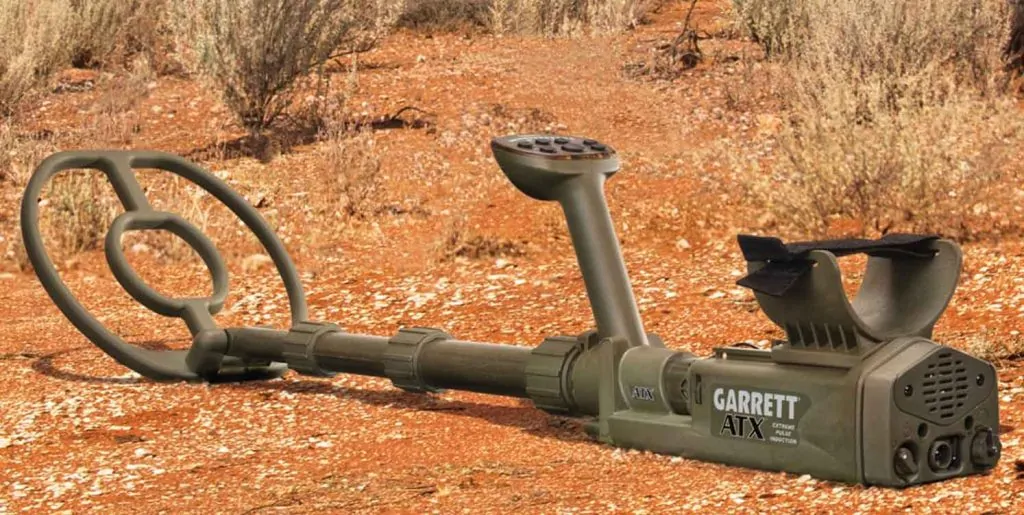
The Garrett ATX provides a different documented example. This pulse-induction detector searches for metal with threshold-based audio and offers both Motion and Non-Motion detection. Its manual distinguishes the audio behavior of those modes and provides a separate Iron Check with a compatible DD coil. That design shows why all-metal operation does not have to resemble an accept-all Target ID pattern.
Does all-metal mode detect every type of metal?
It is intended to respond across ferrous and non-ferrous categories rather than reject a chosen category. It does not give identical performance on every metal. Electromagnetic response depends on conductivity, magnetic properties, mass, surface area, shape, orientation, alloy, corrosion, distance, and surrounding ground. A thin chain may respond very differently from a solid ring made from a similar alloy. A large iron object can sound strong at much greater distance than a tiny non-ferrous fragment.
The word “all” therefore describes target acceptance, not equal sensitivity. Even an accepted object needs enough usable signal to rise above ground response, electromagnetic interference, and detector noise. The coil must also pass through a productive angle and height. All-metal does not make stones, gems, dry wood, or voids become metal targets, nor does it turn a conventional detector into a ground scanner.
Target ID can also be wrong or unstable on weak, deep, edge-on, mixed, or adjacent targets. All-metal lets you hear more responses; it does not guarantee correct classification. Treat ID as evidence to combine with repeatability, sweep direction, audio shape, location, and careful recovery.
How threshold-based all-metal audio works
A threshold is a low background sound used as an audible reference. It should normally be set just loud enough for the operator to notice small changes without causing fatigue. A weak target may create a slight rise, wavering, or other change rather than a bold tone. The useful information lies in a repeatable change at the same ground location, not in keeping the hum loud.
Threshold level is not the same as sensitivity. Turning the threshold up changes the audible reference; it does not automatically increase the electromagnetic detection field. Excessive threshold can cover subtle changes and tire the listener. Sensitivity or gain controls how strongly the detector processes received signals, but excessive sensitivity can amplify ground and interference until useful responses become harder to recognize.
Some detectors provide a “reference” threshold that blanks over rejected IDs, while others provide a “true” threshold that reflects more of the search channel. On the MANTICORE, audio theme changes the kind of threshold used: its manual documents reference threshold behavior in several themes and a true threshold in the Prospecting Audio Theme. That audio-theme distinction is separate from the global All Metal control that disables the discrimination pattern. Users should avoid merging the two settings into one concept.
For a focused explanation of threshold level, pitch, blanking, and instability, see Metal Detector Threshold Explained. In practice, headphones with clear, comfortable audio can make small variations easier to hear, but safe awareness of the surroundings remains essential.
Motion, non-motion, and pinpoint behavior
Most modern search modes require coil motion across a target. The detector measures a changing response as the coil approaches, crosses, and leaves the object. Stopping the coil can cause the signal to fade or disappear even though the metal remains beneath it. The required sweep speed varies by model, mode, recovery setting, ground, and target.
A non-motion or static all-metal function can continue responding without the same normal sweep. Pinpoint is the most familiar example. After detecting a target, the operator activates Pinpoint and moves the coil carefully to find the strongest or most centered response. That function is meant to locate the target more accurately and reduce the recovery hole.
Pinpoint should not automatically be treated as the detector’s normal all-metal search mode. It may detune, saturate over large objects, lack normal Target ID, or respond differently to ground. The manual may also require retuning or a particular button action. Use the model’s dedicated search mode for coverage and its pinpoint procedure for localization unless the manufacturer explicitly documents static searching. The ATX is an exception worth studying: its manual provides both Motion and Non-Motion detection modes in addition to a Retune/Pinpoint control.
Learn more in Metal Detector Pinpointing Explained. Keeping the terms separate makes field notes and comparisons much more meaningful.
Benefits of searching with all metal accepted
The first benefit is information. Rejected targets no longer vanish into silence solely because their IDs fall inside a blocked segment. Hearing iron can reveal whether the site is quiet, scattered with modern trash, or dense with old nails. It can also help explain short non-ferrous chirps that appear near ferrous objects.
The second benefit is protection against classification errors. A desirable target can be pulled toward the ferrous region by mineralized ground, weak signal strength, edge orientation, corrosion, or a nearby nail. Heavy rejection may silence part of that mixed response. Opening the pattern allows the user to hear it and investigate from another angle.
The third benefit is more transparent site analysis. Archaeological iron, tools, fasteners, and relic fragments can be important targets in their own right. Prospectors may also use iron and ground responses to understand the local environment. In such cases, “dig less iron” is not the only goal.
Finally, an open pattern is useful as a cross-check. A hunter can search with a selective pattern, switch briefly to all metal over an uncertain signal, and listen for iron components or multiple nearby objects. The MANTICORE’s default left Soft Key assignment supports this kind of quick global toggle, although the user’s assignment can be changed.
Limitations and tradeoffs
All-metal can be noisy in trash. Every accepted nail, wire fragment, foil piece, cap, and conductive item demands attention. This can slow coverage and create mental fatigue. At a park filled with modern debris, a carefully chosen discrimination pattern may be more productive for a specific goal.
More sound can also create masking at the operator level. The detector may separate two objects, yet the user’s ear can miss a short desirable response among constant iron tones. Appropriate recovery speed, coil choice, sweep control, volume, and tone settings matter. The article Metal Detector Recovery Speed Explained describes the electronic separation tradeoff.
Ground signals become especially important in a wide-open pattern. The Nokta The Legend manual says its All Metal Discrimination Pattern accepts IDs 1–60 and produces audio for metals as well as ground, displaying their IDs. Its separate Ground Off pattern rejects IDs 1 and 2 to suppress ground noise. This model-specific design shows that “open everything” can include responses a user may not want.
All-metal can increase useful information, but it cannot tell you which accepted non-ferrous item is valuable. Aluminum foil, pull tabs, small gold, and other low or mid-conductive targets can overlap. The only reliable way to confirm a target is recovery and inspection where digging is permitted.
| Situation | Potential advantage | Possible drawback | Practical response |
|---|---|---|---|
| Sparse goldfield | Weak changes and iron remain audible | Hot rocks and ground can add signals | Ground balance carefully and verify repeatability |
| Old iron site | Reveals the complete iron environment and mixed responses | Audio can become crowded | Use controlled sweep speed, multiple angles, and a suitable coil |
| Clean relic field | Avoids rejecting an unusual or low-ID artifact | More digging | Dig representative signals and build site-specific knowledge |
| Modern trash park | Useful as a check over uncertain signals | Constant accepted trash can reduce efficiency | Consider selective searching with temporary all-metal checks |
| Mineralized soil | Exposes signal behavior that rejection might hide | Ground response can dominate | Choose the correct mode, balance, and stable sensitivity first |
Ground balance comes before interpretation
Ground contains conductive salts and magnetic minerals that can create a broad response. Ground balance adjusts the detector to reduce that background so metal responses stand out more clearly. In a threshold-based mode, incorrect balance may cause the hum to rise and fall as the coil approaches and leaves the soil. In an accept-all pattern, ground can occupy low IDs or produce unstable audio.
Follow the manufacturer’s ground-balance procedure in a patch free of obvious metal. Pumping, automatic balance, manual adjustment, tracking, or a special beach procedure may be specified. These functions are not interchangeable across devices. Tracking can help where mineralization varies, yet it may behave differently near repeated weak targets; consult the manual.
Garrett’s ATX provides Ground Balance and four Ground Track settings for changing conditions. Its manual warns that unnecessary balancing in benign ground can reduce response to some targets, so the operator should follow its site-specific procedure. This guidance belongs to the ATX and should not be generalized to every detector.
If instability occurs only while moving the coil over the soil, ground response, coil height, or contact with vegetation may be involved. If chatter continues while the coil is held still in the air, electromagnetic interference is more likely. Run the documented frequency-shift or noise-cancel process and move away from electrical sources before lowering sensitivity unnecessarily. See the Metal Detector Ground Balance Guide for a broader explanation.
Sensitivity, recovery speed, and coil choice
A stable detector usually reveals more than an overdriven one. Increase sensitivity only until the system remains interpretable in the actual soil and electrical environment. Random chirps can imitate weak targets and make the supposed extra information of all-metal useless. Stability is not the same as low performance; it is the condition that lets repeatable responses stand out.
Recovery speed affects how quickly one target response ends before the next is reported. Faster recovery can separate a nail and nearby coin more clearly, while very fast settings may shorten deep responses or reduce identification quality. All-metal does not remove that tradeoff. Test one variable at a time.
A smaller coil can reduce the volume of ground and number of objects sampled together, often helping in dense trash or uneven mineralization. A larger coil may provide more coverage and suit isolated larger targets, but it can place several objects under the field at once. All-metal cannot make a large coil physically isolate targets like a smaller one.
Keep coil height and sweep path consistent. Scrubbing rocks can cause mechanical noise; raising the coil sacrifices signal; lifting at the ends produces uneven coverage. For technique, consult Metal Detector Sweep Speed and Coil Height.
Documented detector examples
Garrett ATX: motion and non-motion all-metal detection
The Garrett ATX is a current pulse-induction example. Its manual documents a threshold plus Motion and Non-Motion modes. Motion is the default and normally offers quieter operation, but the coil or target must move.
Non-Motion mode can respond while the coil is stationary, which can help with slow target sizing and localization, but it requires more retuning as ground and temperature change. The manual also documents different poor-conductor and good-conductor tone/echo behavior between Motion and Non-Motion. These are ATX audio conventions, not universal metal-identification rules.
The ATX has a separate Iron Check that requires a DD coil and indicates probable iron rather than certainty. Its Discrimination adjustment can reduce detection depth and should generally remain low. Stable threshold, frequency scanning, sensitivity, ground handling, and disciplined retuning remain important.
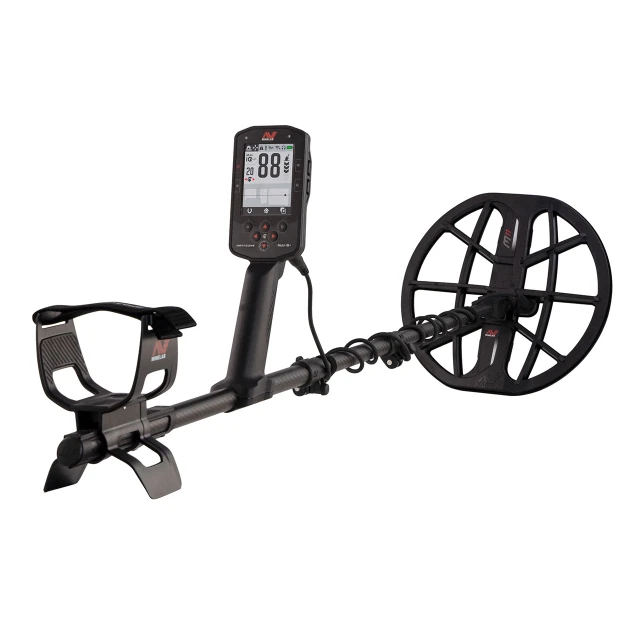
Minelab MANTICORE: discrimination disabled globally
On the Minelab MANTICORE, All Metal turns off the discrimination pattern. Ferrous objects that would otherwise remain silent can display a ferrous indication and sound according to Ferrous Tones and the chosen Audio Theme. The control is global, while discrimination patterns themselves are local to search modes.
The MANTICORE example is valuable because its audio architecture has separate controls. Normal, Enhanced, Depth, and Prospecting themes change response behavior; threshold can be reference or true depending on theme; Ferrous Limits help classify response positions; and Ferrous Tones can affect what the operator hears. Enabling All Metal does not erase these settings.
A practical use is checking an uncertain response: scan in the chosen mode, toggle All Metal, sweep from several angles, and observe whether the 2D ID Map and audio show a consistent ferrous component or a mixed response. The map visualizes measured response properties; it is not an underground picture and cannot identify the physical object with certainty.
Nokta The Legend: an accept-all discrimination pattern
The Nokta The Legend manual documents four discrimination patterns: All Metal, Ground Off, Ferrous Off, and Custom. In All Metal, every ID from 1 through 60 is accepted. The detector can sound for metal and ground responses and display their IDs.
That behavior makes All Metal a useful learning and checking pattern, but users in responsive ground may prefer Ground Off, which rejects IDs 1 and 2, or another pattern suited to the task. Pattern changes affect only the selected search mode. Park, Field, Beach, and Goldfield can therefore retain different choices.
The Legend’s scale and pattern names are model-specific. Do not transfer its 1–60 regions to MANTICORE or Garrett numbers. Even within one model, weak or deep targets need a sufficiently clear signal for reliable ID. Audio repeatability remains important.
| Detector | Manufacturer description | What the user receives | Important qualification |
|---|---|---|---|
| Garrett ATX | Pulse-induction detection with Motion and Non-Motion modes | Threshold-based audio, mode-specific tone/echo behavior, signal-strength LEDs, and separate Iron Check | Non-Motion needs more retuning; Iron Check is a probable indication, not certainty |
| Minelab MANTICORE | All Metal disables the Discrimination Pattern | Ferrous and conductive responses, ID Map information, behavior shaped by audio and ferrous settings | All Metal and true/reference threshold are separate settings |
| Nokta The Legend | All Metal Discrimination Pattern accepts IDs 1–60 | Audio and IDs for metals and ground | Ground responses may be audible; patterns are local to the selected mode |
A controlled field test for your detector
- Choose a safe test area. Obtain permission, check for utilities, and use a clean patch away from obvious electrical interference.
- Read the manual definition. Determine whether all-metal is a dedicated search mode, an accept-all pattern, a shortcut, or a pinpoint function.
- Stabilize the detector. Select an appropriate search mode, run noise cancel where provided, ground balance, and set sensitivity to a quiet usable level.
- Use representative targets. Include a small nail, larger iron item, copper or brass object, aluminum foil, pull tab, and a non-valuable ring. Never use irreplaceable valuables.
- Start above ground. Compare the default discrimination pattern with all-metal while keeping coil height, sweep speed, angle, and every other setting constant.
- Build adjacent-target layouts. Place a nail near a coin, vary the gap and orientation, and sweep from two directions. Listen for separate events and mixed responses.
- Test natural ground. Use an established test garden or shallow recoverable targets only where lawful. Air tests cannot reproduce mineralization, moisture, halos, compaction, or masking.
- Record what happened. Note model, software, coil, mode, pattern, sensitivity, balance, recovery, target, orientation, spacing, and soil condition.
Change only one variable during each comparison. If you enable all-metal and simultaneously raise sensitivity, change recovery, and swing faster, you cannot tell what caused the result. A repeatable test is more valuable than a dramatic but undocumented demonstration. The guide How to Build a Metal Detector Test Garden provides a method for longer-term comparisons.
Common misconceptions
“All-metal always gives maximum depth.” A dedicated true all-metal mode may be designed for high sensitivity, but an accept-all discrimination pattern may simply remove rejection. Usable depth still depends on the whole setup and site. More noise can reduce practical detection.
“All-metal means no Target ID.” Some true all-metal modes still provide ID when the signal is adequate. Accept-all patterns commonly retain ID and tone classification. Read the device documentation.
“Every sound is a metal target.” Ground minerals, salt, hot rocks, electromagnetic interference, coil movement, and impacts can cause responses. A signal should repeat at a fixed location and be investigated systematically.
“All-metal finds gold but ignores iron.” Accepting all metal does the opposite of ignoring iron. Gold also overlaps with aluminum and other conductors. No mode can make every gold target uniquely identifiable before recovery.
“Pinpoint and all-metal search are identical.” Pinpoint is often a non-motion localization function; normal all-metal search may require motion and supply different audio or identification.
Frequently asked questions
What is all-metal mode on a metal detector?
It is a mode or acceptance choice that allows responses across ferrous and non-ferrous target categories instead of intentionally silencing selected IDs. The exact implementation varies by detector.
Is all-metal mode deeper than discrimination?
A dedicated true all-metal mode may provide high sensitivity to weak responses, but an accept-all discrimination pattern may only remove rejected regions. Ground, noise, coil, mode, and settings determine usable depth, so the answer is model- and site-specific.
Does all-metal mode detect gold?
It can respond to detectable gold targets, but gold size, shape, alloy, orientation, depth, ground, and detector technology matter. It does not identify gold uniquely or make every gold item detectable.
Will all-metal mode detect iron?
Yes, ferrous targets are normally audible when all metal is accepted. The tone, Target ID, and visual indication depend on the detector and its audio settings.
Why does all-metal mode sound noisy?
It may be reporting iron, ground, hot rocks, salt, or other IDs that a discrimination pattern silenced. Excessive sensitivity, poor ground balance, electromagnetic interference, and coil impacts can add instability.
Should beginners use all-metal mode?
Yes, controlled practice can teach target and ground audio, but a trashy site may overwhelm a beginner. Start in a clean test area, compare known targets, and follow the manual.
Is all-metal mode the same as zero discrimination?
Sometimes the terms describe the same accept-all pattern, but not always. A true threshold-based all-metal search mode can use a different response process from a discrimination mode set to accept every ID.
Do I need ground balance in all-metal mode?
Ground balance is often particularly important because ground responses may be more audible. Use the procedure specified for the exact detector and mode.
Should threshold be loud in all-metal mode?
No. Where a threshold is used, set it as a faint comfortable reference so small changes remain noticeable. A loud hum can mask weak variations and cause fatigue.
When should I switch out of all-metal mode?
Consider a selective pattern when accepted trash overwhelms the search, fatigue prevents careful listening, or your specific goal justifies rejecting well-understood site targets. You can still use all-metal temporarily to check uncertain responses.
Final field checklist
- Confirm what “all-metal” means in the exact manual.
- Choose a search mode suited to the site before adjusting secondary controls.
- Run noise cancel or frequency shift where the model provides it.
- Ground balance on clean ground using the documented procedure.
- Set sensitivity for stable, interpretable operation.
- Keep any threshold faint and comfortable.
- Use repeatability, multiple sweep directions, and audio with Target ID.
- Expect iron and potentially ground responses when all targets are accepted.
- Change one setting at a time and record the result.
- Recover targets carefully and follow permission, utility, and heritage rules.